Release 5.46

· 15 min read

New in this release

Webhooks

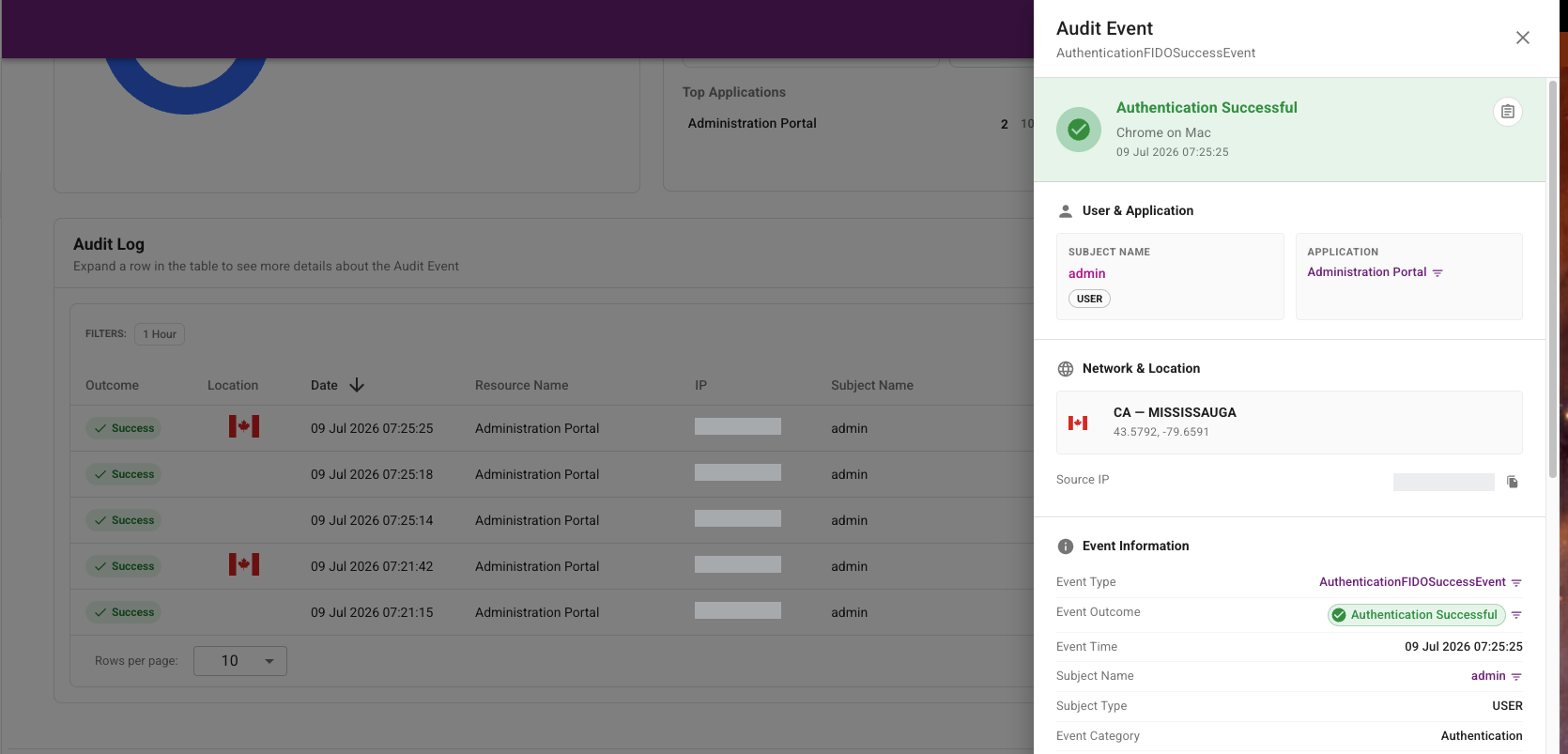
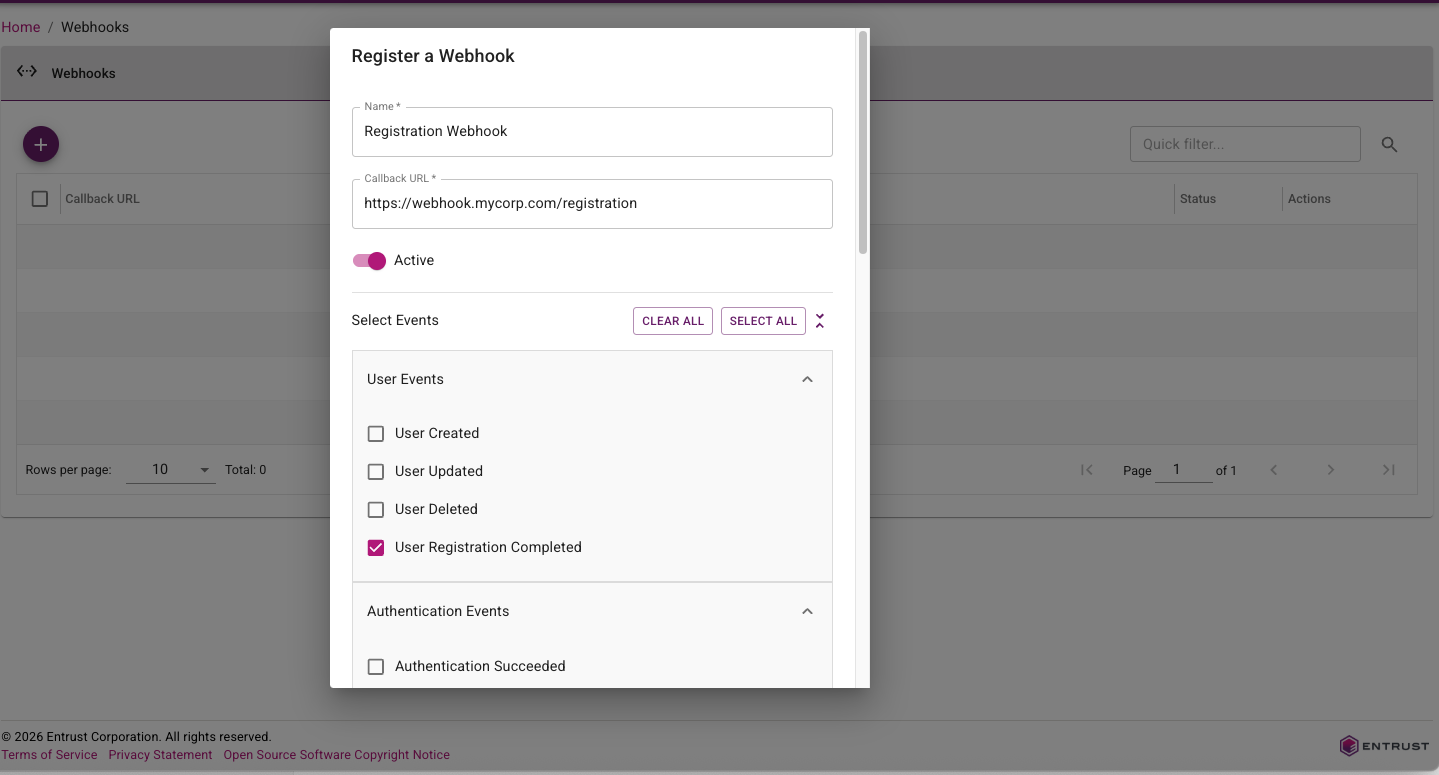
Webhooks in this release are expanded and easier to use. IDaaS now supports a broader event catalog across user lifecycle, authentication outcomes, credentials, passkeys, tokens, grids, and magic links, with additional detailed information for each event. Webhook delivery now follows a standard HTTP message signing model (RFC 9421) to simplify verification in downstream services, and webhook administration has been improved with clearer configuration metadata (including required webhook names) and more flexible testing options, such as overriding the callback URL during test calls.

Webhook configuration page showing registering a webhook for user registration events

For more information, see the Webhook customer use cases guide.

Documentation Portal

This release of IDaaS introduces a new documentation portal that combines admin guidance, developer resources, and release notes in one place.

The new documentation portal includes the following features:

  • Improved searching.
  • LLM-friendly content export support for AI-assisted knowledge workflows.

For portal access and navigation, see the IDaaS documentation portal home.

Identity Enterprise Agent Migration Enhancements

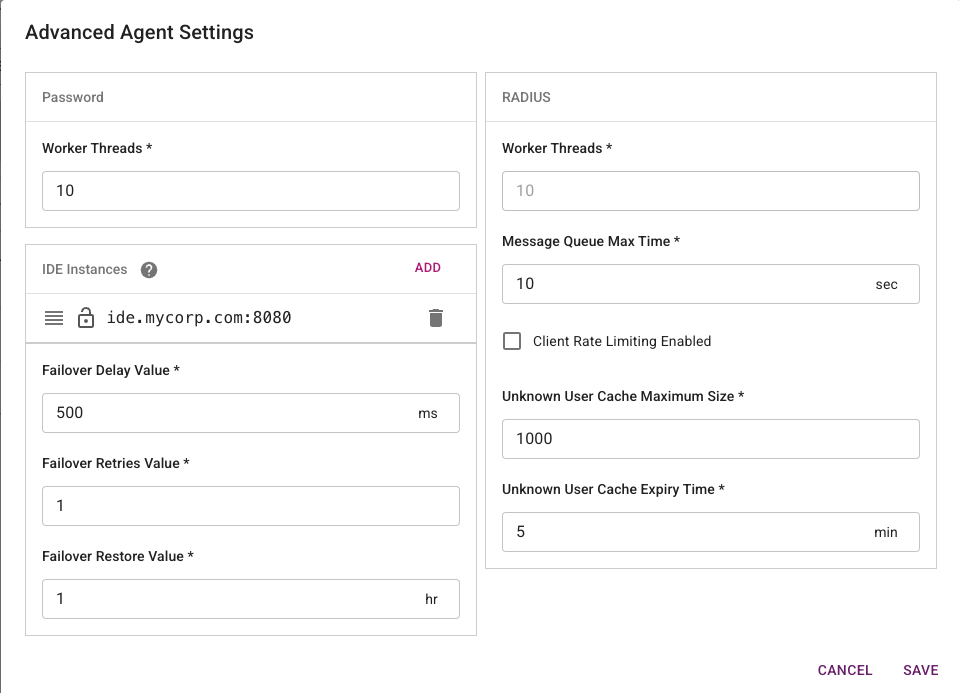
The Identity Enterprise (formerly IdentityGuard) Agent in the Enterprise Service Gateway has been enhanced to support progressive migration of customers from Identity Enterprise to IDaaS. When handling authentication requests from an Identity Enterprise client, the agent first tries to forward the request to IDaaS. If the user does not exist in IDaaS, the agent will then forward the request to Identity Enterprise. This allows a customer to migrate their users from Identity Enterprise to IDaaS in stages without forcing immediate client-side changes across all legacy integrations.

Identity Enterprise Agent configuration page showing progressive migration routing settings

For configuration and routing behavior details, see Configuring an Identity Enterprise Agent.

Passkey Attestation

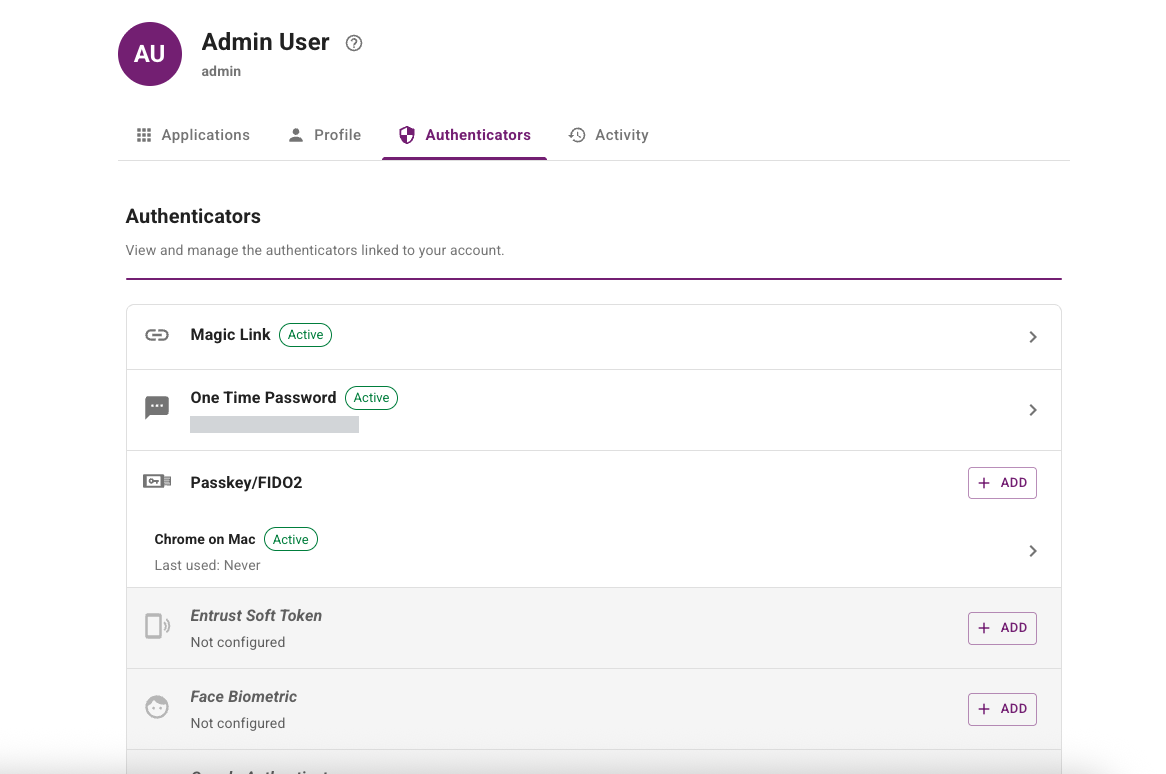
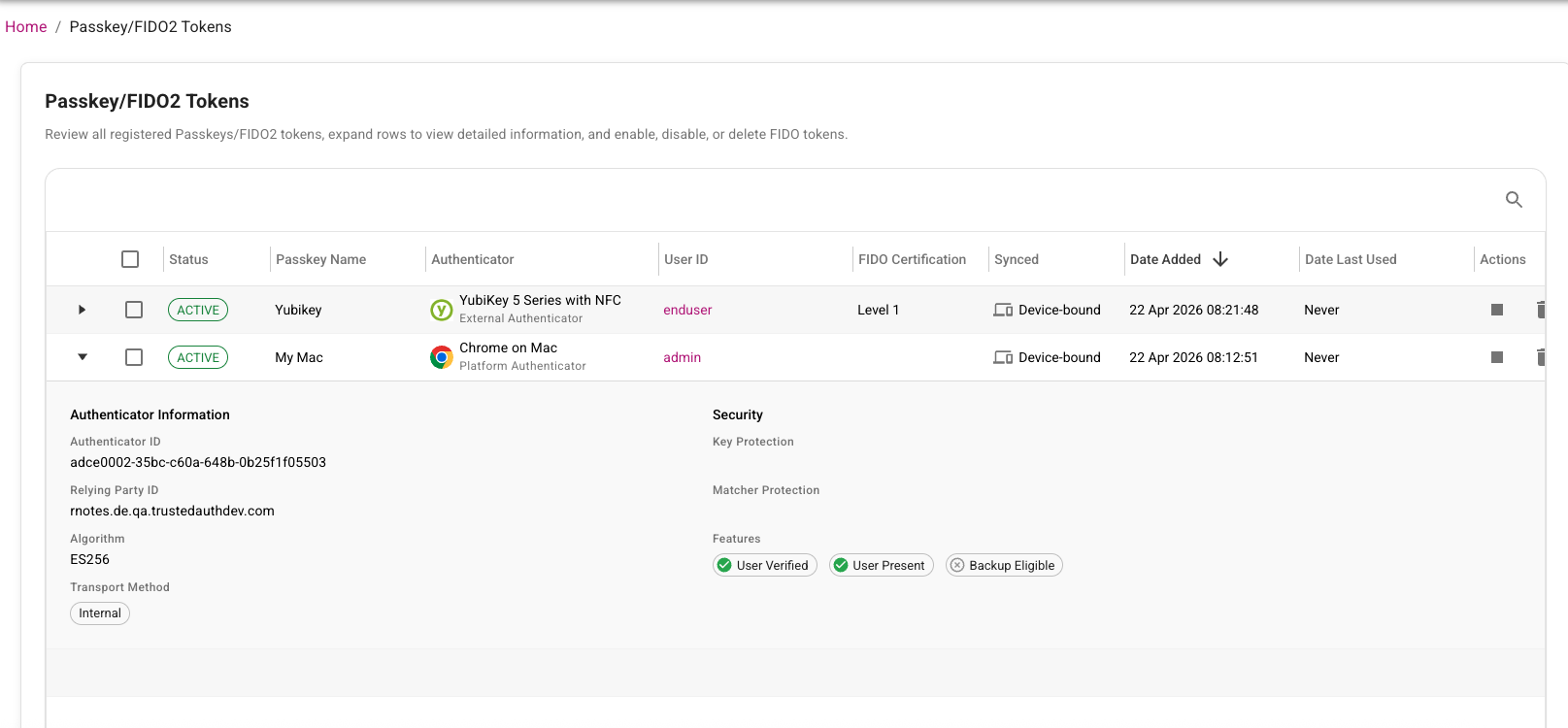
This release introduces passkey attestation enhancements to improve trust during passkey registration and lifecycle management. IDaaS now captures and evaluates attestation-related registration details so administrators can better validate authenticator provenance and strengthen phishing-resistant authentication policies.

In addition, administrators now have an option to list passkeys, making it easier to review registered passkeys, identify stale or duplicate credentials, and support user troubleshooting and cleanup workflows. Together, these improvements help security teams make stronger authenticator trust decisions while giving operations teams better passkey inventory visibility and lifecycle control.

Passkey attestation page showing registered passkeys with attestation details and trust status

For solution overview and platform context, see Passkey basics and IDaaS Passkey/FIDO2 authenticator management.

User External ID Enhancements

User External ID enhancements make it easier for customers to link external account information to the corresponding IDaaS account by mapping and persisting customer-managed user identifiers in IDaaS. External ID values can be assigned through directory sync, inbound IdP claims, the Administration API, bulk operations, or SCIM provisioning. External IDs can be included in SAML attributes or OIDC claims and be used for API-based lookups.

SAML application attribute configuration showing external ID mapping

OIDC application claims configuration showing external ID mapping

For configuration details and integration examples, see Configure external ID for users.

This release adds a new setting to automatically send a magic link when a new user is created. The link can take the user directly to IDaaS to complete verification and initial registration, reducing onboarding friction and speeding time to first sign-in.

The Magic Link redirect URL validation is now more flexible but still preserves application safety. Previously, the requested redirect URL had to exactly match an allowed URL. Now, IDaaS validates the base redirect URL and ignores differences in query parameters. This lets clients include route or state parameters so users can return to a specific page in the same application after completing the magic link flow.

For customer scenarios and implementation patterns, see Magic links solution guide.

Portal Enhancements

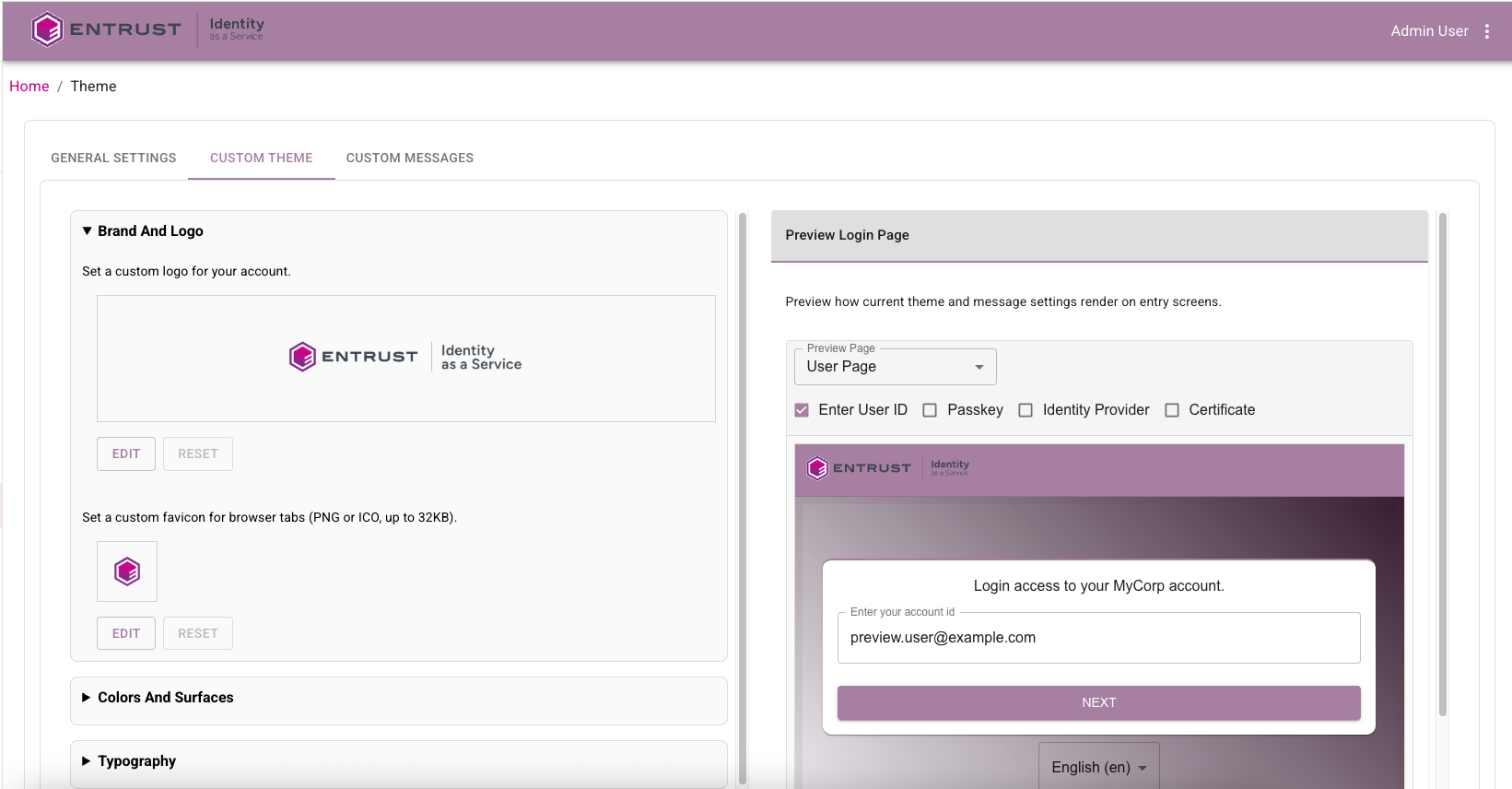
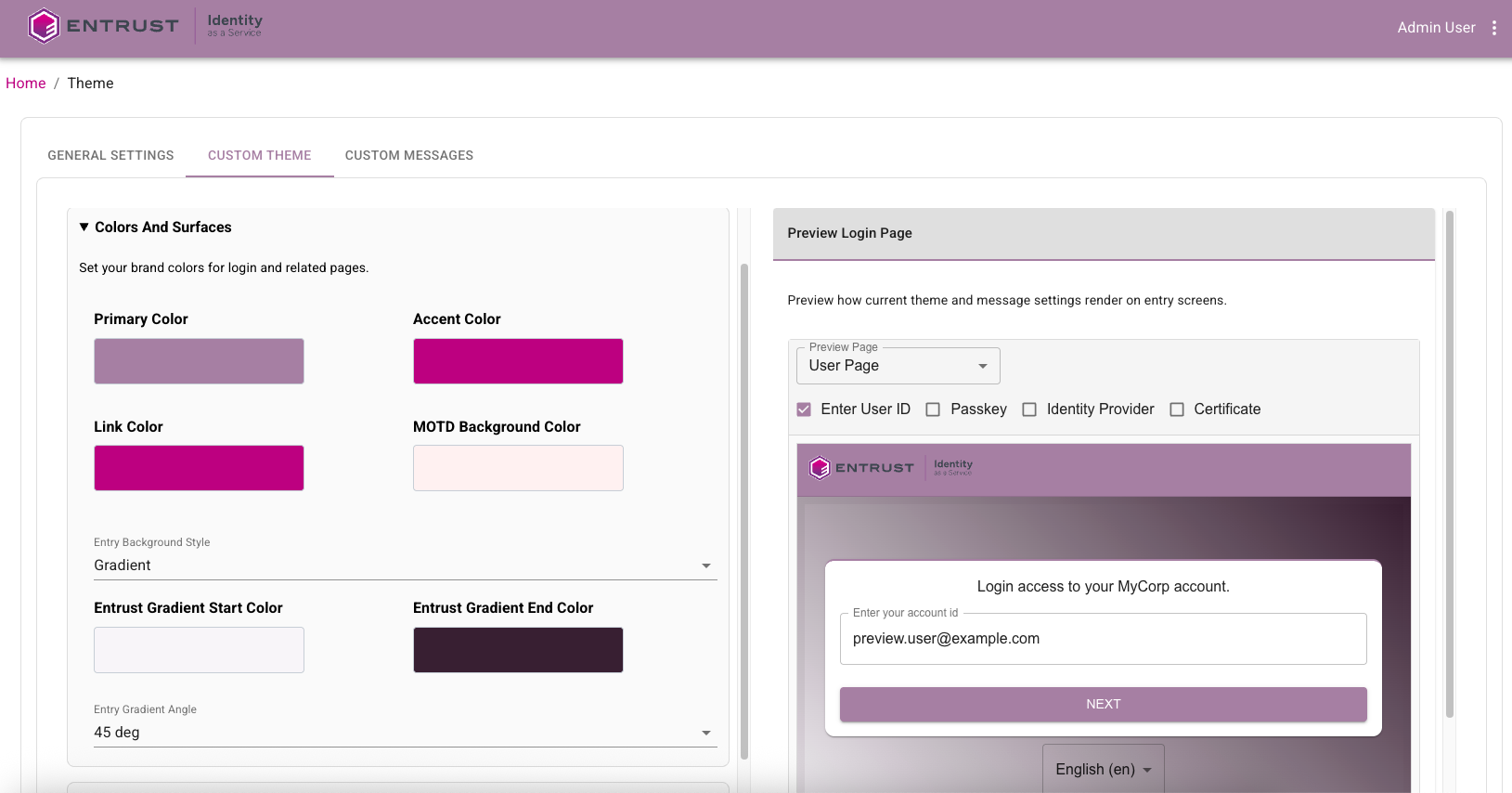
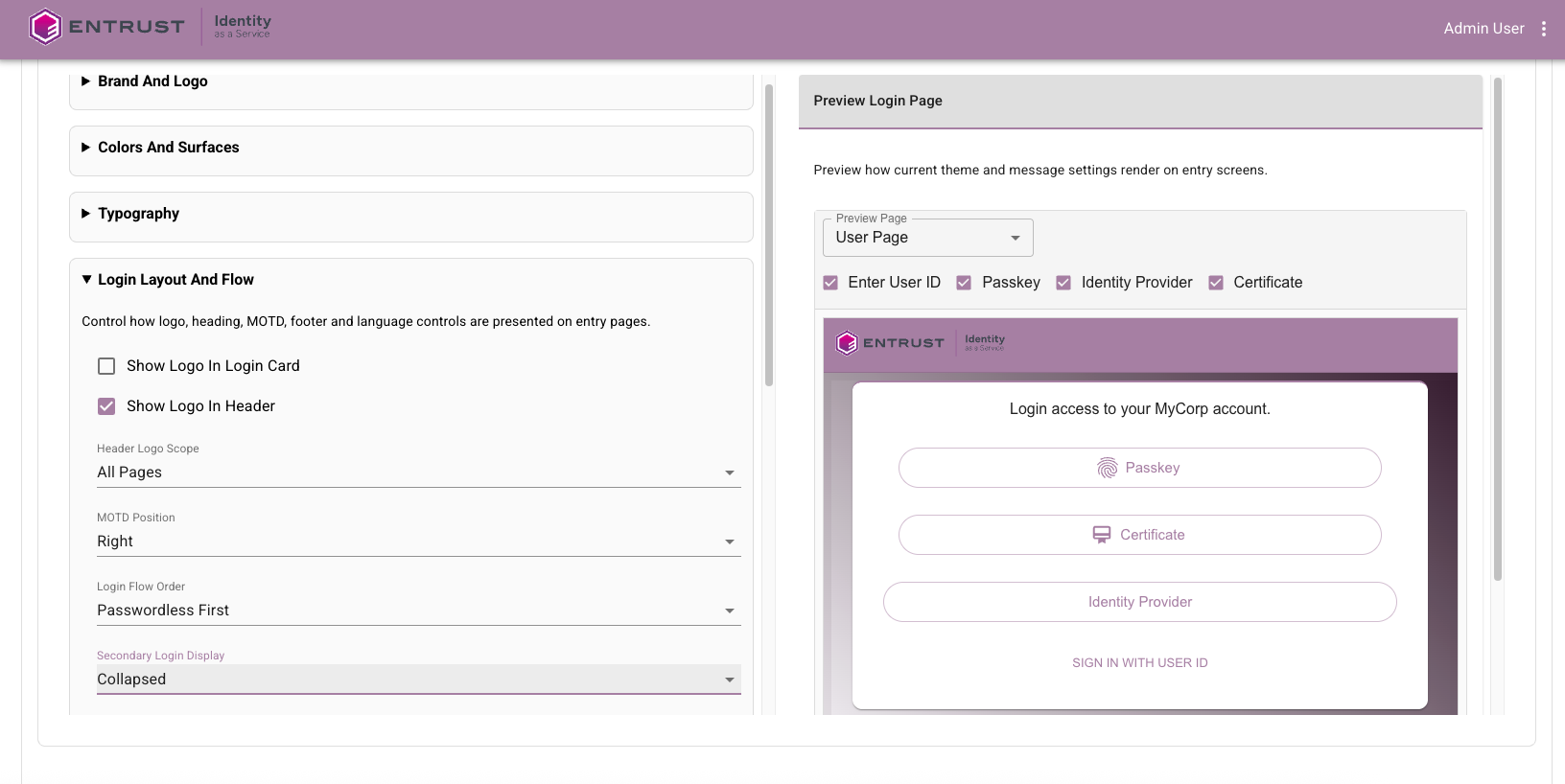
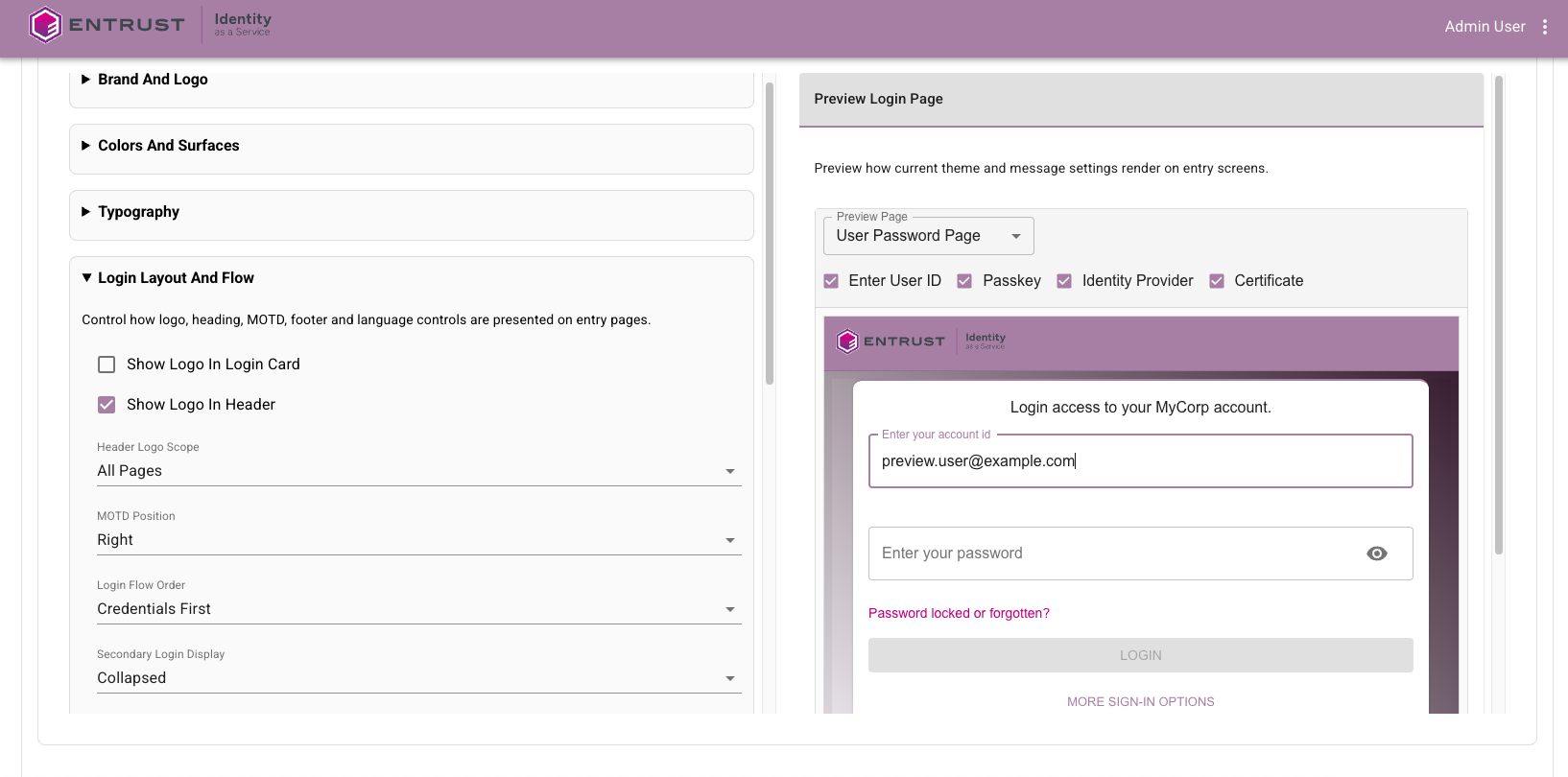
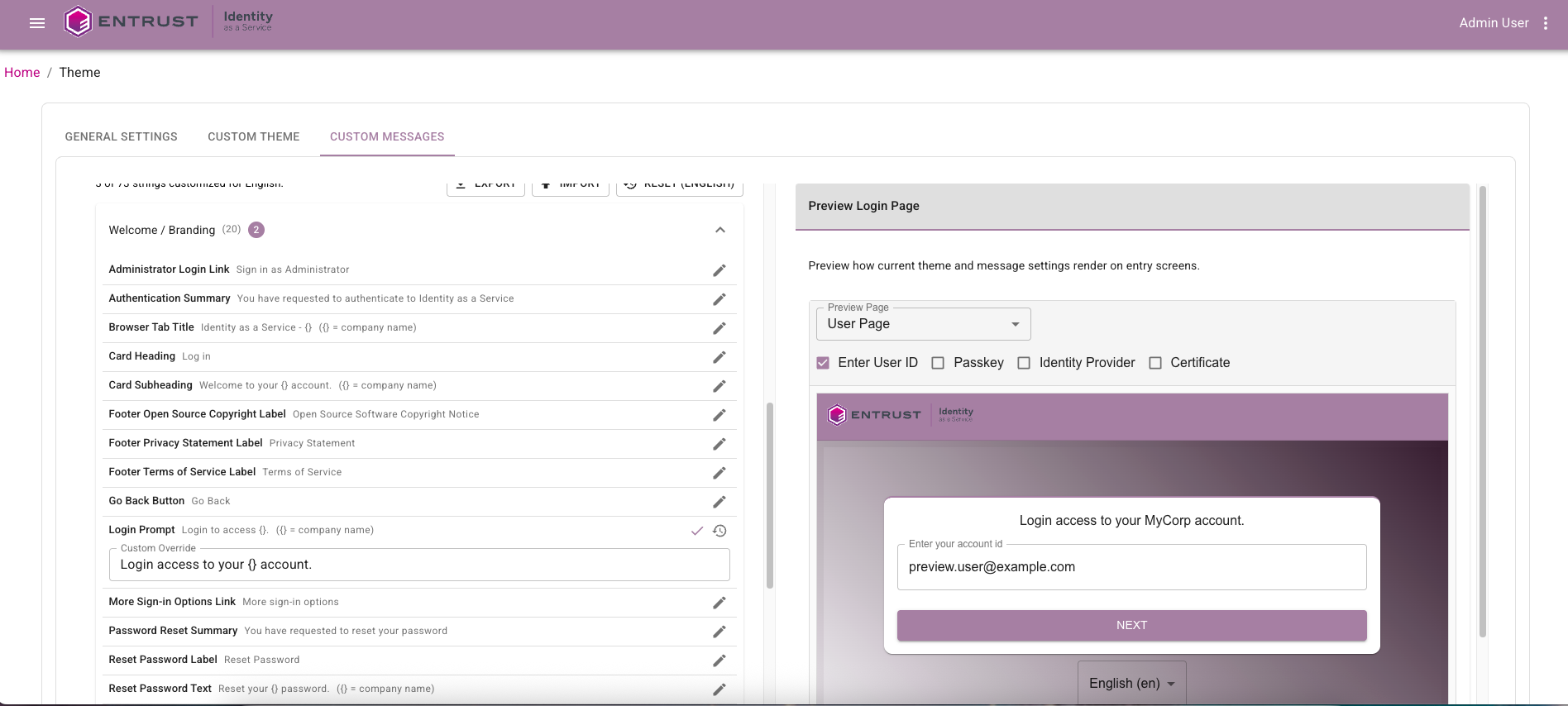
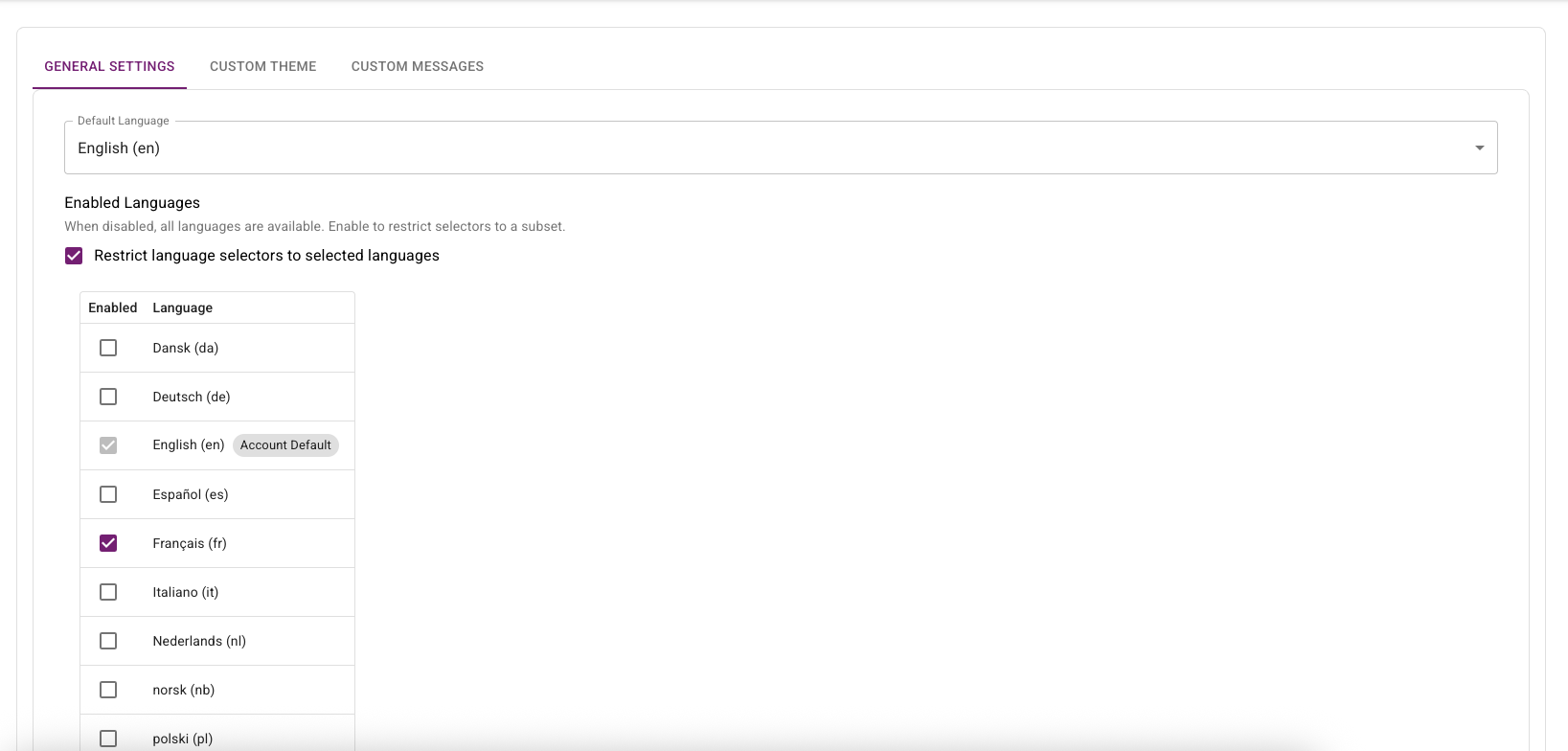
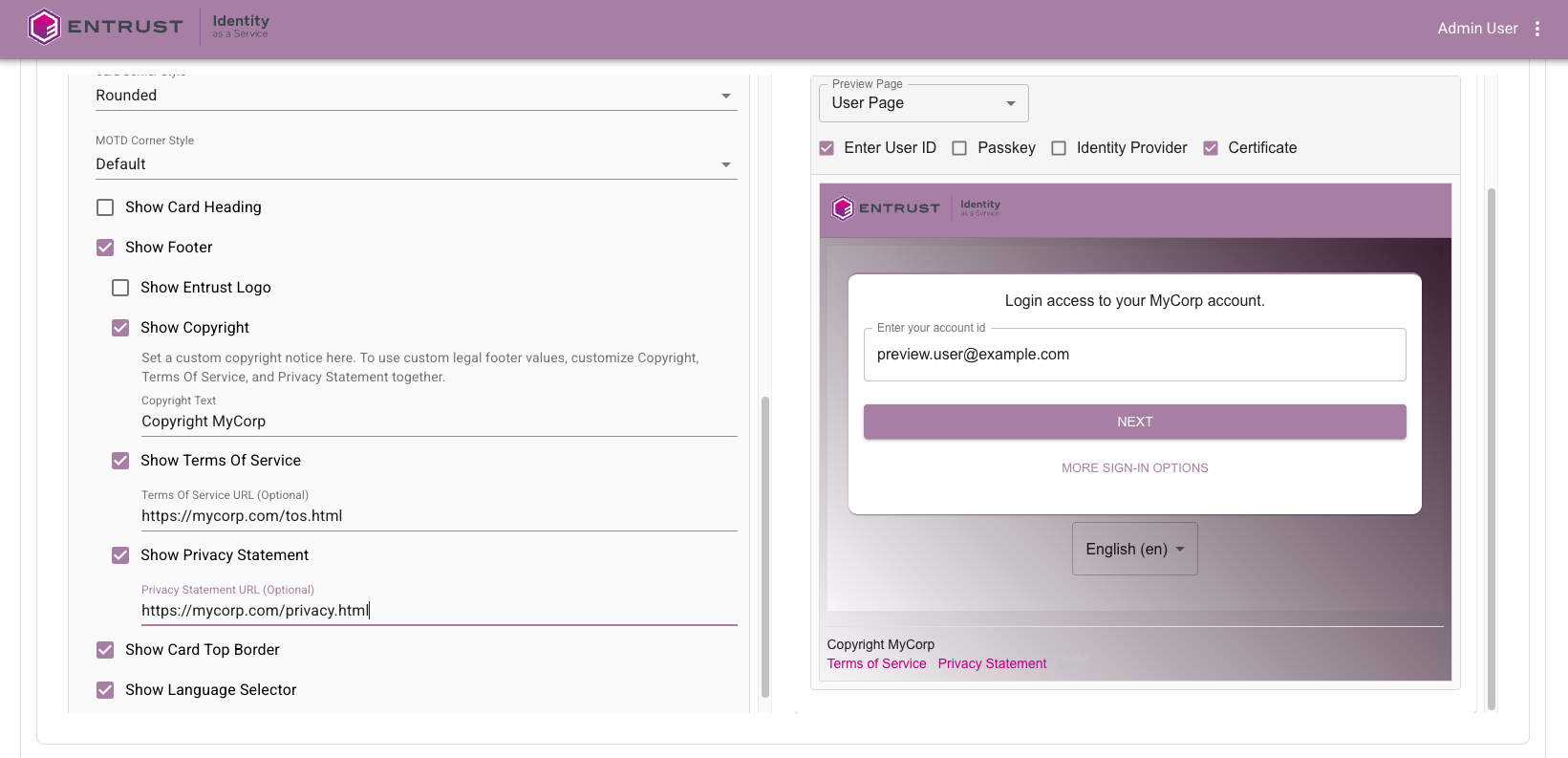
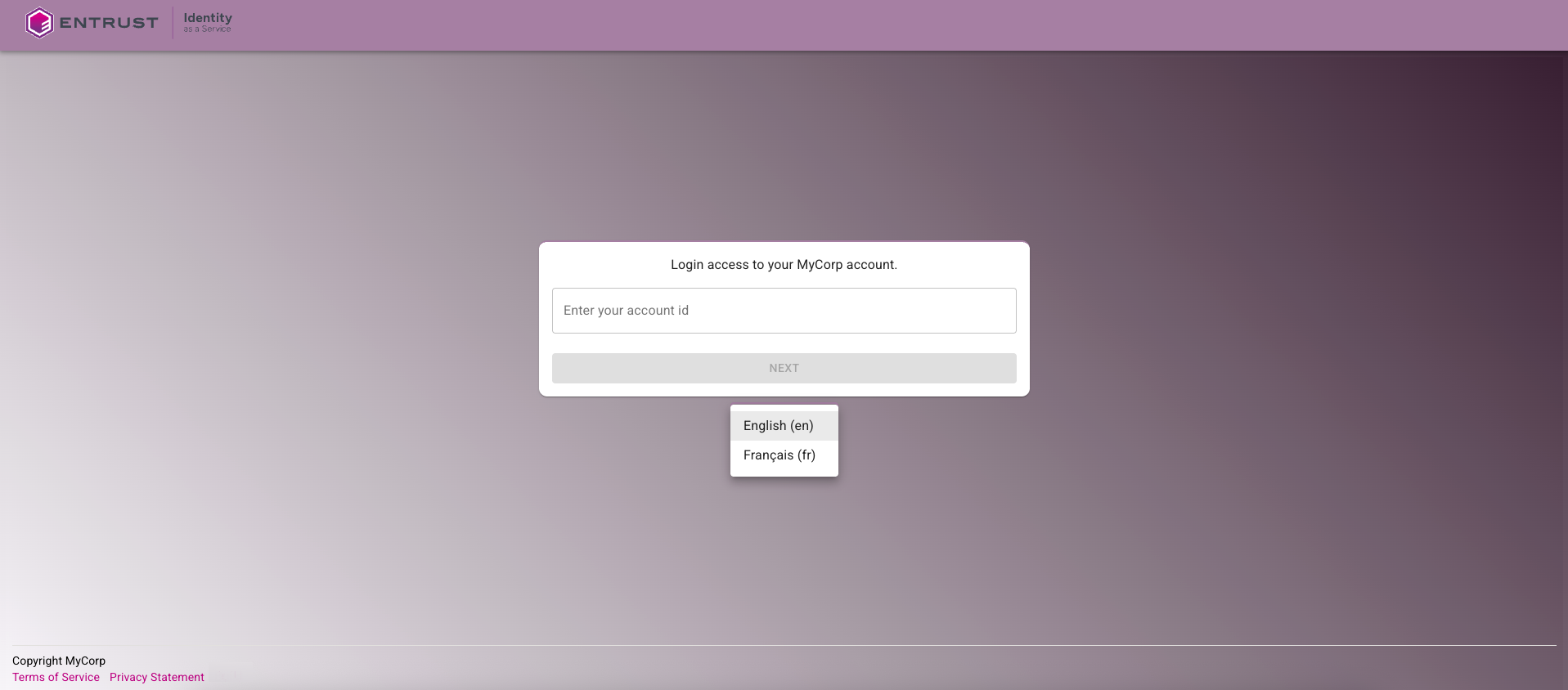
The following changes have been made to the Administration portal to improve usability, so administrators can complete common setup and governance tasks faster with fewer navigation and context-switching steps:

Content Security Policy (CSP) Changes

The Content Security Policy used by IDaaS has been made stricter in this release. The following changes have been made:

  • Remove Google Analytics and font endpoints.
  • Use specific S3 bucket endpoints instead of broader AWS endpoints.

Fixed or changed in this release

  1. The Verify User action required the Add permission for the authenticator being used. This is no longer required. (42124)
  2. Change to how Google Authenticators in the activating state are treated during registration. (42067)
  3. Named password UI fixes: reset-password named password not saved until refresh; named password cleanup; and small-window layout fix for named password group policy. (42025, 41810, 41714)
  4. Risk Factor source IP address in resource rules causing Create OTP Auth API failure. (42030)
  5. For OIDC applications, initiate Login URL should not be mandatory. (41991)
  6. SIEM customization tab logo not saving. (41983)
  7. Directory configuration Group Filter not honored in AD LDS. (41974)
  8. Changing tabs in the application UI can overwrite changes. (41936)
  9. Audit searches with empty subjectName should ignore the search attribute. (41917)
  10. Admin portal error after user password authentication. (41888)
  11. Generic 500 error on password reset URL. (41873)
  12. Bulk import sample CSV had duplicate security ID in audit. (41856)
  13. Validate search parameters for assigning preferred OTP provider to tenants/accounts. (41798)
  14. Named password flow and audit validation updates: disable named passwords for system-defined auth flows; enforce namedPasswordId check in Admin API password reset; and use named password UUID in group policy audit updates. (41797, 41640, 41163)
  15. Password reset email from admin portal showed “default” in email body. (41763)
  16. Alternative OTP delivery methods not working at portal login when non-default method selected in user profile. (41769)
  17. Magic link login invalid_token error. (41755)
  18. SCIM: add user as provisioned user if user already exists. (41734)
  19. Named password audit/log consistency updates for bulk password reset and SAML forgot password, plus password-only group policy reset audit behavior. (41730, 41729, 41722, 41719)
  20. Trimmed challenge response through ESG IdentityGuard Agent. (41689)
  21. Default group policy category on password when present. (41620)
  22. Service Provider tenant management role not working if no site role assigned. (41514)
  23. Null Pointer Exception (NPE) during TransactionDetails check. (41452)
  24. Email notification did not specify which password was changed. (41333)
  25. SCIM provisioning failure when token expired. (41305)
  26. Application description could not be set to blank. (41218)
  27. SAML application max age disable behavior for -1 updated with day-based time handling. (41072)
  28. SP auditor role should be able to view tenant usage details dialog. (41065)
  29. Allow upload of WeChat service account QR code. (41049)
  30. Token push verify user cancel audit permission update. (40818)
  31. Verify user grid for specified-one missing userId in audit. (40562)
  32. Previous passwords cannot be reused: inconsistent behavior when resetting password with current password. (30638)

Changes to Identity as a Service (IDaaS) APIs

Authentication API

New operations

  • None.

Removed operations

  • None.

Changed operations

  • None.

Changed models

  • FIDORegisterChallenge
    • Added: attestation (string) - Attestation preference for passkey/FIDO2 registration. Determines how much information about the authenticator (security key/passkey) is shared during registration. NONE: No authenticator details shared (recommended for privacy). INDIRECT: Basic information shared in a privacy-preserving way (balanced approach). DIRECT: Full authenticator details shared (use when you need to verify specific device models).
  • FIDORegisterResponse
    • Added: transports (array<string>) - The transport methods used during registration (for example, 'usb', 'nfc', 'ble', 'internal'). Used to determine authenticator capabilities.
  • FIDOToken
    • Added: aaguid (string) - The AAGUID of the authenticator that created this FIDO token.
    • Added: aaguidVerified (boolean) - Indicates whether the AAGUID reported by the authenticator was cryptographically verified via a full certificate chain against the FIDO MDS trust anchors. True only for DIRECT attestation; false for INDIRECT (cert chain not verified); null for NONE (no attestation collected).
    • Added: algorithm (string) - The signature algorithm of the authenticator that created this FIDO token.
    • Added: attestationFormat (string) - Attestation format of the authenticator that created this FIDO token.
    • Added: attestedData (boolean) - Indicates if this FIDO token contains attested data.
    • Added: authenticatorModel (string) - The authenticator model of the authenticator that created this FIDO token.
    • Added: backupEligible (boolean) - Indicates if this FIDO token is eligible for backup.
    • Added: backupStatus (boolean) - Indicates if this FIDO token is currently backed up.
    • Added: icon (string) - The icon of the authenticator that created this FIDO token.
    • Added: userPresent (boolean) - Indicates if the user was present during the registration or authentication ceremony that created or last used this FIDO token.
    • Added: userVerified (boolean) - Indicates if the user was verified during the registration or authentication ceremony that created or last used this FIDO token.
  • GridChallenge
    • Added: cellAlphabets (string) - The cellAlphabets value specifies the characters that are valid for the cells in the grid challenge.
    • Required added: cellAlphabets.
  • UserAuthenticatorLockoutStatus
    • Added: locked (boolean) - Determines if this authenticator is currently locked out.

Administration API

New operations

  • GET /api/web/v1/async/tokenspaged/{id}/assigned/result (assignedTokenPageAsyncResultUsingGET) - Get the result of an asynchronous list assigned tokens operation.
  • GET /api/web/v1/async/tokenspaged/{id}/assigned/status (assignedTokenPageAsyncStatusUsingGET) - Get the status of an asynchronous list assigned tokens operation.
  • GET /api/web/v1/async/tokenspaged/{id}/unassigned/result (unassignedTokenPageAsyncResultUsingGET) - Get the result of an asynchronous list unassigned tokens operation.
  • GET /api/web/v1/async/tokenspaged/{id}/unassigned/status (unassignedTokenPageAsyncStatusUsingGET) - Get the status of an asynchronous list unassigned tokens operation.
  • GET /api/web/v2/async/gridspaged/{id}/assigned/result (assignedGridsPageAsyncResultUsingGET) - Get the result of an asynchronous list assigned grids operation.
  • GET /api/web/v2/async/gridspaged/{id}/assigned/status (assignedGridsPageAsyncStatusUsingGET) - Get the status of an asynchronous list assigned grids operation.
  • GET /api/web/v2/async/gridspaged/{id}/unassigned/result (unassignedGridsPageAsyncResultUsingGET) - Get the result of an asynchronous list unassigned grids operation.
  • GET /api/web/v2/async/gridspaged/{id}/unassigned/status (unassignedGridsPageAsyncStatusUsingGET) - Get the status of an asynchronous list unassigned grids operation.
  • GET /api/web/v4/async/userspaged/{id}/result (usersPagedAsyncResultUsingGET) - Get the result of an asynchronous list users operation.
  • GET /api/web/v4/async/userspaged/{id}/status (usersPagedAsyncStatusUsingGET) - Get the status of an asynchronous list users operation.
  • POST /api/web/v1/async/tokenspaged/assigned (assignedTokenPageAsyncUsingPOST) - Lists a page of assigned tokens asynchronously.
  • POST /api/web/v1/async/tokenspaged/unassigned (unassignedTokenPageAsyncUsingPOST) - Lists a page of unassigned hardware tokens asynchronously.
  • POST /api/web/v1/fidotokenspaged (getFIDOTokensPagedUsingPOST) - Get FIDO tokens (paginated).
  • POST /api/web/v2/async/gridspaged/assigned (assignedGridsPageAsyncUsingPOST) - Lists a page of assigned grids asynchronously.
  • POST /api/web/v2/async/gridspaged/unassigned (unassignedGridsPageAsyncUsingPOST) - Lists a page of unassigned grids asynchronously.
  • POST /api/web/v4/async/userspaged (usersPagedAsyncUsingPOST) - Lists a page of users asynchronously.

Removed operations

  • POST /api/web/v4/tenants (createTenantUsingPOST)

Changed operations

  • POST /api/web/v1/webhooks/test/{id} (testWebhookUsingPOST)
    • Request body: A request body was added.

Changed models

  • FIDOAuthenticatorSettings
    • Added: attestation (string) - Attestation preference for passkey/FIDO2 registration. Determines how much information about the authenticator (security key/passkey) is shared during registration. NONE: No authenticator details shared (recommended for privacy). INDIRECT: Basic information shared in a privacy-preserving way (balanced approach). DIRECT: Full authenticator details shared (use when you need to verify specific device models).
  • FIDOAuthenticatorSettingsParms
    • Added: attestation (string) - Attestation preference for passkey/FIDO2 registration. Determines how much information about the authenticator (security key/passkey) is shared during registration. NONE: No authenticator details shared (recommended for privacy). INDIRECT: Basic information shared in a privacy-preserving way (balanced approach). DIRECT: Full authenticator details shared (use when you need to verify specific device models).
  • FIDORegisterChallenge
    • Added: attestation (string) - Attestation preference for passkey/FIDO2 registration. Determines how much information about the authenticator (security key/passkey) is shared during registration. NONE: No authenticator details shared (recommended for privacy). INDIRECT: Basic information shared in a privacy-preserving way (balanced approach). DIRECT: Full authenticator details shared (use when you need to verify specific device models).
  • FIDORegisterResponse
    • Added: transports (array<string>) - The transport methods used during registration (e.g., 'usb', 'nfc', 'ble', 'internal'). Used to determine authenticator capabilities.
  • FIDOToken
    • Added: aaguid (string) - The AAGUID of the authenticator that created this FIDO token.
    • Added: aaguidVerified (boolean) - Indicates whether the AAGUID reported by the authenticator was cryptographically verified via a full certificate chain against the FIDO MDS trust anchors. True only for DIRECT attestation; false for INDIRECT (cert chain not verified); null for NONE (no attestation collected).
    • Added: algorithm (string) - The signature algorithm of the authenticator that created this FIDO token.
    • Added: attestationFormat (string) - Attestation format of the authenticator that created this FIDO token.
    • Added: attestedData (boolean) - Indicates if this FIDO token contains attested data.
    • Added: authenticatorModel (string) - The authenticator model of the authenticator that created this FIDO token.
    • Added: backupEligible (boolean) - Indicates if this FIDO token is eligible for backup.
    • Added: backupStatus (boolean) - Indicates if this FIDO token is currently backed up.
    • Added: icon (string) - The icon of the authenticator that created this FIDO token.
    • Added: userPresent (boolean) - Indicates if the user was present during the registration or authentication ceremony that created or last used this FIDO token.
    • Added: userVerified (boolean) - Indicates if the user was verified during the registration or authentication ceremony that created or last used this FIDO token.
  • OTPAuthenticatorSettings
    • Added: otpWeChatDefaultDeliveryAttribute (string) - Id of the default WeChat OTP delivery attribute.
    • Removed: otpWechatDefaultDeliveryAttribute (string) - Id of the default Wechat OTP delivery attribute.
  • PasswordResetSettings
    • Added: namedPasswordName (string) - The name of the password.
  • User
    • Added: userPasswordDetails (array<UserPasswordDetails>) - A list of the user password details.
    • Flag changed: passwordCompromised deprecated: false -> true.
    • Flag changed: passwordExpirationTime deprecated: false -> true.
  • UserAuthenticatorLockoutStatus
    • Added: locked (boolean) - Determines if this authenticator is currently locked out.
  • Webhook
    • Added: name (string) - Descriptive name for the webhook to help identify its purpose.
  • WebhookEvent
    • Enum changed on type: added user.created, user.updated, user.deleted, user.registration.completed, authentication.succeeded, authentication.failed, password.updated, magiclink.email.sent, grid.created, grid.email.sent, grid.password.email.sent, passkey.created, passkey.updated, passkey.deleted, kba.question.created, token.created, token.activated, token.activated.online, token.seed.rotated, hardware.token.assigned, face.biometric.created, credential.create, credential.update, credential.delete, credential.print.
  • WebhookParms
    • Added: name (string) - Descriptive name for the webhook to help identify its purpose.
    • Changed: enabled - Improved description. Indicates whether the webhook is active and will receive event notifications. Disabled webhooks will not receive any events.
    • Required added: name.

Supported TLS Ciphers

IDaaS supports the following TLS Ciphers:

TLSv1.3:

  • TLS_AES_128_GCM_SHA256
  • TLS_AES_256_GCM_SHA384
  • TLS_CHACHA20_POLY1305_SHA256

TLSv1.2:

  • ECDHE-RSA-AES128-GCM-SHA256
  • ECDHE-RSA-AES256-GCM-SHA384
  • ECDHE-RSA-CHACHA20-POLY1305

Enterprise Service Gateway (ESG) Deprecation

Entrust supports only the last four releases of the Enterprise Service Gateway (the current version 5.46 and the three previous releases 5.43, 5.44, and 5.45). Entrust recommends that customers always upgrade their Enterprise Service Gateway to the latest release because each release contains security updates to the Enterprise Service Gateway Operating System.

NOTE: In an upcoming release, changes are planned that will break versions of ESG older than 5.33.
In-place upgrade of the ESG is only supported for versions 5.33 or later. Versions of ESG older than 5.33 are no longer supported. To upgrade versions of ESGs older than 5.33 to the new version, use the following procedure:

  1. Download the latest Gateway OVA or Hyper-V file from IDaaS and install on a new VM instance.
  2. Add a new Gateway instance to the existing Gateway in IDaaS.
  3. Register the new Gateway instance with IDaaS.
  4. Disable the old Gateway instance.
  5. Repeat these steps to replace all the Gateway instances that use older versions of the ESG.

Once the upgrade is complete, the Gateway instances corresponding to the old ESGs can be deleted from IDaaS and the VMs for those ESG instances can also be deleted.

Browser Deprecation

Microsoft no longer supports the Internet Explorer 11 and Microsoft Edge Legacy browsers. Identity as a Service no longer supports these browsers.

Release 5.45

· 9 min read

New in this release

Support Multiple Passwords

IDaaS users can now have multiple passwords associated with their account. This allows users to have different passwords for different authentication flows or applications. Administrators can configure multiple passwords for users and assign each with a unique password policy.

SCIM Enhancements

The following enhancements have been made to SCIM support in this release:

  • Support for custom schemas.
  • Mapping additional IDaaS attributes to SCIM attributes, including RegistrationStatus to indicate whether the user is registered.
  • Support for setting values into multivalued complex type SCIM attributes like email.
  • Improved logging.

UI Improvements

In the IDaaS Administration portal, all the "Policy" pages and bulk operation pages have been redesigned to improve usability.

OAuth Improvements

A new document "OAuth and OIDC Basics" has been added to the IDaaS Developer Hub. This document provides an overview of OAuth 2.0 and OpenID Connect (OIDC) concepts.

A new OIDC application template, “Generic Embedded Application,” is now available in IDaaS. This template enables administrators to implement a custom, self‑hosted login experience that keeps users within your application during authentication, while still relying on an OpenID Connect provider to issue standards‑compliant tokens.

CORS Changes

For new IDaaS accounts, CORS is now enabled by default. Existing accounts are not affected by this change but Entrust recommends that customers enable CORS for their existing accounts.

Fixed or changed in this release

  1. Generic Native application client ID copy to clipboard fails - The copy to clipboard function for client ID was not working for Generic Native applications, though it worked for other OIDC apps. (41215)
  2. Authentication API calls for OIDC IDaaS JWT grant type need to be added to CORS Allow list - Authentication API calls for IDaaS JWT grant types are now automatically allowed for CORS.(41203)
  3. Group policy Face Biometric Mutual Challenge alphabet error handling - Setting Face Biometric mutual challenge alphabet to a single character and saving resulted in an error without an error message. (41316)
  4. IDaaS Doc ER: SAML SLO configuration and expected behavior - Documentation needs to specify the resulting behaviors expected from IDP or SP initiated logout and whether it results in global logout. (39797)
  5. Magic link auth email changing to blank when the defined custom email contact changed to SMS - When adding a custom email contact, changing group policy magic link default email to the custom contact, then changing the custom email contact type to SMS, the default email becomes blank. (40636)
  6. SCIM Provisioner User Attribute Mappings filter for the Required field is a text field - The filter field should be restricted to yes/no options rather than free text. (40462)
  7. Test Directory Configurations result dialog contains a typo - "All group filter" should be "All group filters". (40827)
  8. Unsaved changes warning does not retain user on the same Authenticator edit page when "Cancel" is clicked - When navigating to Policy → Authenticators, editing an Authenticator without saving, then clicking another Authenticator, an unsaved changes pop-up appears. However, clicking "Cancel" navigates to the previously selected Authenticator instead of staying on the current page with unsaved changes. (41281)
  9. OIDC Authentication Unexpected server error, authentication request invalid - After redirecting to IDaaS from the customer service provider using an OIDC integration, allowing five minutes to elapse before proceeding results in "server error: Unexpected server error, authentication request invalid" error. (40883)
  10. IDaaS SAML user creation not recognizing role - When a user is created after IDP authentication, role assignment during user creation is not working. Role claims that include underscores and role claims returned as lists are not properly processed. (41319)

Changes to Identity as a Service (IDaaS) APIs

Authentication API

New models

PasswordChallenge

New model introduced to support password challenge scenarios.

  • name (string) - The name of the password challenge
  • namedPasswordId (string) - The Named Password Id associated with the challenge

Changed models

AuthenticatedResponse
  • Added: passwordChallenge (PasswordChallenge) - Password challenge information returned when password authentication requires additional challenge
UserAuthenticateQueryResponse
  • Added: passwordChallenge (PasswordChallenge) - Password challenge information for user authentication queries
UserAuthenticatorLockoutStatus
  • Added: name (string) - The users named password authentication that is locked out.

Notes & migration guidance

  • Password Challenge Support: A new PasswordChallenge model has been introduced to support scenarios where password authentication requires additional challenge information. This is part of the named password feature that allows users to have multiple distinct password authenticators.
  • Enhanced Authentication Responses: Both AuthenticatedResponse and UserAuthenticateQueryResponse now include an optional passwordChallenge field. Clients should handle this field to support multi-password authentication flows where a specific named password may be required.
  • Lockout Status Enhancement: The UserAuthenticatorLockoutStatus model now includes a name field to identify which specific named password authenticator is locked out, providing better visibility for troubleshooting and user support.
  • Non-Breaking Changes: All changes are additive (new optional fields and a new model). Existing client implementations will continue to work without modification, though they won't benefit from the enhanced password challenge capabilities until updated.

Administration API

New operations

  • DELETE /api/web/v1/users/{userid}/passwords/{namedpasswordid} (deleteUserNamedPasswordUsingDELETE) — Delete a user password using the password ID
  • GET /api/web/v1/users/{userid}/list/passwords (getUserNamedPasswordsUsingGET) — Gets a list of user passwords
  • GET /api/web/v1/users/{userid}/settings/password/{namedpasswordid} (getUserNamedPasswordSettingsUsingGET) — Get user password authenticator settings by named password ID
  • PUT /api/web/v1/users/{userid}/password/{namedpasswordid}/notify (sendUserNamedPasswordExpiryNotificationUsingPUT) — Update and send a password expiry notification using password ID

Removed operations

  • DELETE /api/web/v1/users/{userid}/activesyncdevices/{deviceid} (removeActiveSyncDeviceUsingDELETE) — Delete ActiveSync device
  • GET /api/web/v1/serviceipaddresses (getServiceIPAddressesUsingGET) — Get service IP addresses
  • GET /api/web/v1/users/{userid}/activesyncdevices (getCachedActiveSyncDevicesUsingGET) — Get ActiveSync devices
  • POST /api/web/v1/users/{userid}/activesyncdevices (getActiveSyncDevicesUsingPOST) — Manage ActiveSync device
  • PUT /api/web/v1/users/{userid}/activesyncdevices (updateActiveSyncDevicesUsingPUT) — Update ActiveSync device

Changed models

AuthenticationFlow
  • Added: namedPasswordId (string) - The Named Password Id used for password authentication.
AuthenticationFlowParms
  • Added: namedPasswordId (string) - The Named Password Id used for password authentication.
CorsOrigin
  • Required added: id
  • Required added: origin
Entitlement
  • Added: gracePeriodEndDate (string, date-time) - The USERS grace period end date of this entitlement in UTC time.
PasswordResetSettings
  • Added: id (string) - ID of the password reset settings.
  • Added: namedPasswordId (string) - The ID of the named password.
SmsVoice
  • Added: gracePeriodEndDate (string, date-time) - The date when the grace period for the entitlement will end.
Tenant
  • Added: otpProviderId (string) - The ID of the preferred OTP provider associated with this tenant, if any. Only visible to root tenant.
UserAuthenticatorLockoutStatus
  • Added: name (string) - The users named password authentication that is locked out.
UserEntitlement
  • Added: gracePeriodEndDate (string, date-time) - The date when the grace period for the entitlement will end.

UserPassword

  • Added: id (string) - The ID of the user password.
  • Added: namedPasswordId (string) - The named password associated to the user.
UserPasswordParms
  • Added: namedPasswordId (string) - The ID of the named password.
UserPasswordSettings
  • Added: namedPasswordEnabled (boolean) - Indicates whether the named password policy is enabled for the user.
  • Added: namedPasswordId (string) - The ID of the named password.
UserPasswordValidationParms
  • Added: namedPasswordId (string) - The ID of the named password.

Notes & migration guidance

  • Named Password Support: The major theme of this release is support for named passwords. Multiple new properties (namedPasswordId) have been added across authentication flows, password settings, and user password models to enable multi-password scenarios per user. This allows users to have multiple distinct password authenticators with different policies.
  • New Password Management APIs: Four new endpoints provide granular password management by password ID, including listing all passwords for a user, deleting specific passwords, managing password expiry notifications, and retrieving password settings per named password.
  • ActiveSync Deprecation (Breaking): All ActiveSync device management endpoints have been removed. Clients using these endpoints must migrate to alternative device management solutions before upgrading.
  • Service IP Addresses Removal (Breaking): The /api/web/v1/serviceipaddresses endpoint has been removed. Clients relying on this endpoint should contact support for alternative approaches to obtaining service IP information.
  • Grace Period Tracking: Added gracePeriodEndDate to entitlement-related models (Entitlement, SmsVoice, UserEntitlement) to support grace period functionality for expired entitlements. This allows tenants to continue operating for a limited time after entitlement expiration.
  • CORS Origin Validation (Breaking): The CorsOrigin model now requires both id and origin fields. Ensure all CORS origin configurations include these required fields when creating or updating CORS origins.
  • OTP Provider Configuration: Tenants can now specify a preferred OTP provider via the otpProviderId property, providing flexibility in OTP delivery mechanisms.

Supported TLS Ciphers

IDaaS supports the following TLS Ciphers:

TLSv1.3:

  • TLS_AKE_WITH_AES_128_GCM_SHA256 (ecdh_x25519)
  • TLS_AKE_WITH_AES_256_GCM_SHA384 (ecdh_x25519)
  • TLS_AKE_WITH_CHACHA20_POLY1305_SHA256 (ecdh_x25519)

TLSv1.2:

  • TLS_ECDHE_RSA_WITH_AES_128_GCM_SHA256 (ecdh_x25519)
  • TLS_ECDHE_RSA_WITH_AES_256_GCM_SHA384 (ecdh_x25519)
  • TLS_ECDHE_RSA_WITH_CHACHA20_POLY1305_SHA256 (ecdh_x25519)
  • TLS_ECDHE_RSA_WITH_AES_256_CBC_SHA384 (ecdh_x25519)
  • TLS_ECDHE_RSA_WITH_AES_128_CBC_SHA256 (ecdh_x25519)

On March 15, 2026, support for the following ciphers will be removed.

TLSv1.2:

  • TLS_ECDHE_RSA_WITH_AES_128_CBC_SHA256 (ecdh_x25519)
  • TLS_ECDHE_RSA_WITH_AES_256_CBC_SHA384 (ecdh_x25519)

Enterprise Service Gateway (ESG) Deprecation

Entrust will only support the last four releases of the Enterprise Service Gateway (the current version 5.45 and the three previous releases 5.42, 5.43, and 5.44). Entrust recommends that customers always upgrade their Enterprise Service Gateway to the latest release because each release contains security updates to the Enterprise Service Gateway Operating System.

NOTE: In an upcoming release, changes are planned that will break versions of ESG older than 5.33.
In-place upgrade of the ESG is only supported for versions 5.33 or later. Versions of ESG older than 5.33 are no longer supported. To upgrade versions of ESGs older than 5.33 to the new version, use the following procedure:

  1. Download the latest Gateway OVA or Hyper-V file from IDaaS and install on a new VM instance.
  2. Add a new Gateway instance to the existing Gateway in IDaaS.
  3. Register the new Gateway instance with IDaaS.
  4. Disable the old Gateway instance.
  5. Repeat these steps to replace all the Gateway instances that use older versions of the ESG.

Once the upgrade is complete, the Gateway instances corresponding to the old ESGs can be deleted from IDaaS and the VMs for those ESG instances can also be deleted.

Browser Deprecation

Microsoft no longer supports the Internet Explorer 11 and Microsoft Edge Legacy browsers. Identity as a Service no longer supports these browsers.

Feature Deprecation

ActiveSync Device Management

IDaaS provided a feature that allowed IDaaS users to perform secure, multi-factor authentication and manage their Microsoft Office 365 ActiveSync devices. The Office 365 capabilities that IDaaS used to implement these capabilities are no longer supported by Microsoft. This feature was removed from IDaaS in the 5.45 release.

Release 5.44.1

· 1 min read

Security Bulletin E25-012

The documentation for configuring a Microsoft Certificate Authority (CA) with IDaaS has been updated to address issues described in Security Bulletin E25-012. Customers who have configured a Microsoft CA should review the security bulletin and apply the recommended actions.

Fixed or changed in this release

  1. User Verify fails when token push is used. (41181)

Release 5.44

· 11 min read

New in this release

IDaaS Authentication JavaScript SDK

A new authentication javascript SDK has been released to facilitate integration of IDaaS authentication into web applications. It wraps hosted OIDC flows, risk-based authentication (RBA) challenges, and “convenience” methods (password, OTP, passkey, soft token, etc.) in a client.

The SDK can be found at https://github.com/EntrustCorporation/idaas-auth-js.

SMS OTP Message Format

IDaaS now includes a new OTP policy setting OTP SMS Format. Administrators can select between two formats for SMS OTP messages:

  • Ends with OTP (existing format): OTP appears at the end of the message (for example, Your Entrust Identity as a Service OTP is 01234567).
  • Starts with OTP (new format): OTP appears at the start of the message (for example, 01234567 is your OTP for Entrust Identity as a Service).

Users may find having the OTP at the beginning of the message easier to retrieve.

Dashboard Enhancements

The Dashboard in the IDaaS Administration Portal has been enhanced. Counts in the Authenticators and Authentication statistics panels are now interactive and allow the administrator to navigate to additional information:

  • Authenticators: clicking an entry opens the Members > Users list filtered to users who have that authenticator.
  • Authentications per Application: clicking an application opens the Audit Logs filtered to authentication events for that application.
  • Authentications per Authenticator: clicking an authenticator opens the Audit Logs filtered to authentication events performed with that authenticator.

A new Authenticator filter has also been added to the Audit Logs list, enabling administrators to view only authentication events for a specific authenticator.

Face Biometric Enhancements

The following improvements have been made to the IDaaS Face Biometric authenticator:

  • The Onfido applicant created during registration is no longer required for authentication. Permanent Onfido profile data is therefore no longer retained.
  • Biometric data collected during registration can now optionally be stored in IDaaS instead of only in the Entrust Identity mobile application. This enables use cases such as account recovery when a user has a new device.
  • A new Face Biometric authenticator (including associated biometric data) can be provisioned through the Administration API. This allows results from an external Onfido verification workflow to be used directly to create an IDaaS Face Biometric authenticator.

Directory Synchronization Enhancements

A new option has been added to directory sync configuration allowing a synchronized group to be converted to an "unsynchronized" (local) group instead of being removed from IDaaS. Removing a group also deletes associated policy and resource rules. Converting the group instead preserves those configurations.

When a directory user becomes a local user, all directory groups will be disassociated from the user.

Previously, when the user ID of a user was updated in the directory, the existing IDaaS user ID was stored as an alias of the user. Now, the existing IDaaS user ID is no longer stored as an alias. The following behavior has not changed: if the new user ID was already defined as an alias, it is removed as an alias.

Identity Provider Enhancements

The following improvements have been made to SAML and OIDC identity providers:

  • SAML IDPs now support metadata import and export to support easier configuration with third-party systems.
  • A new system authentication flow "Domain-based IDP or User Login" has been added.
  • When configuring IDP authentication in authentication flows, a default IDP can be specified. A single IDP can be defined as the default IDP.
  • IDPs now allow external group names/IDs returned from the IDP to be mapped to IDaaS group names. Previously, values returned from the IDP had to exactly match IDaaS group names. This was an issue for Microsoft Entra ID SAML where only the group object ID was returned to IDaaS.

Fixed or changed in this release

  1. Resource rule Save button is enabled when group filter validation fails. (40485)
  2. Admin Guide compromised password detection/response missing from documentation. (40482)
  3. Admin Guide end user timeout should be max 8 hours rather than 6 as documented. (40481)
  4. Admin Guide verify user option - Grid Card and Token Authentication should allow selecting multiple options. (40472)
  5. IP list should not allow duplicate IP addresses. (40121)
  6. Compromised status filter is missing for the User and the Admin portal authenticators page. (40332)
  7. Default for authentication provisioning settings has been changed so that by default a password and soft token are not created for a new user. (40427)
  8. Duplicate audits for verify user using Email OTP. Audits created in both Authentication and Management categories. (40720)
  9. Improved audit message for OIDC error. Replaced message that included JsonSyntaxException. (40552)
  10. Face Biometric expiry date update audit missing seconds in timestamp format. (37755)
  11. Field validation error for Entrust Soft Token Settings 'Activation Lifetime' has no upper limit. (25884)
  12. Remove the application customization tab for OIDC server application types. (40696)
  13. Helpdesk role should have magic link content view permission. (40091)
  14. MagicLink authenticator does not set ACR or AMR values. (40398)
  15. OIDC re-authentication triggers a loop if user becomes disabled. (40329)
  16. Pass-through authenticator should be present as an option for user login second-factor but not IDP second-factor. (40459)
  17. Push notification not delivered to iOS devices when Production Mode is enabled in IDaaS Soft Token SDK Credentials. (40403)
  18. Resource rule risk condition date/time update makes the value and label overlap. (40537)
  19. Remove all access restrictions on Syria. (40726)
  20. SCIM Server Endpoint field should be editable on the Configuration page. (40504)
  21. Communication with a SCIM server now has a timeout of 10 seconds. Previously the timeout was 30 seconds. (40792)
  22. SCIM provisioning failed for SCIM servers that returned externalId values larger than a 32 character UUID. (40723)
  23. Verify user missing authenticator dialog. (40531)
  24. Spelling errors in IDaaS. "On-premise" should be "On-premises", "Dekstop" should be "Desktop", "Strengh" should be "Strength". (40608)
  25. Update SAML application audit should not show encryptionCertificate attribute if it did not change. (36694)
  26. User Guide Magic link authentication step missing update for confirmation requirement. (40019)
  27. Improved error message if Entrust Soft Token activation fails because the user requires a mobile Face Biometric. (40228, 40229)
  28. Improved text for Verify user audit message. (40521)
  29. Copy button next to Application ID not properly labeled for screen readers in Edit Administration API screen. (39734)
  30. Improved descriptions for IDaaS ISAPI, AD FS, and Desktop applications. (40766)
  31. Verify user using OTP voice audit message incorrectly says SMS. (40569)
  32. User verify result should be "successfully verified" instead of "successfully authenticated". (40492)
  33. Several issues with importing SAML metadata have been fixed. (40624)
  34. Documentation describing how to configure IDaaS SCIM Provisioning for GitHub has been added. (40486)

Changes to Identity as a Service (IDaaS) APIs

Authentication API

The following changes have been made to models in the Authentication API:

  • The attribute rpId has been added to UserAuthenticateParameters and UserAuthenticateQueryParameters. This attribute specifies the Relying Party ID of Passkey/FIDO2 tokens to be considered for authentication. If a value is not provided, Passkey/FIDO2 tokens with the Relying Party ID of the IDaaS account hostname are considered. This attribute replaces the existing attribute origin which has been marked as deprecated. A similar change was made to the model UserChallengeParameters in a previous release.

Administration API

The following methods have been added to the Administration API:

  • POST /api/web/v1/identityproviders/saml/configuration (fetchSamlConfigurationUsingPOST). Fetch configuration from a third-party SAML identity provider that can be imported into IDaaS.
  • GET /api/web/v1/identityproviders/saml/{id}/configuration (getSamlConfigurationUsingGET). Get SAML configuration from IDaaS that can be exported to a third-party SAML identity provider.

The following changes have been made to existing methods in the Administration API:

  • POST /api/web/v2/reports/auditeventspaged (auditEventPageUsingPOST) - A new search attribute authenticator is supported in the searchByAttributes parameter. This search attribute filters authentication audits by authenticator type (for example, PASSWORD, OTP, TOKEN, FIDO, SMARTCREDENTIALPUSH, TOKENPUSH, IDP, PASSKEY, etc.). The only allowed operator is EQUALS.

The following models have been added to the Administration API:

  • FaceEncryptedToken - Represents an encrypted biometric token that can be specified when creating a Face Biometric authenticator.
  • IdentityProviderExternalGroupMapping - Represents a mapping between an external group name/ID returned from the IDP and an IDaaS group name. This model can be provided as input when creating or modifying an OIDC or SAML identity provider and is returned when fetching identity provider details.
  • SamlConfigurationParms - The parameters passed to fetchSamlConfigurationUsingPOST specifying the metadata URL of the third-party IDP from which to fetch configuration.
  • SamlConfigurationResponse - The response returned from fetchSamlConfigurationUsingPOST containing the SAML configuration details.
  • SamlInfoClaim - Represents a SAML claim included in SamlConfigurationResponse.

The following changes have been made to existing models in the Administration API:

  • The attribute otpSMSFormat has been added to OTPAuthenticatorSettings. This setting specifies the format used for OTP SMS messages.
  • The attribute idpDefault has been added to AuthenticationFlow and AuthenticationFlowParms. This attribute indicates if the Authentication Flow uses the default IDP for IDP authentication.
  • The attribute defaultProvider has been added to IdentityProvider, OidcIdentityProvider, OidcIdentityProviderParms, SamlIdentityProvider and SamlIdentityProviderParms. This attribute indicates if the Identity Provider is the default provider for IDP authentication.
  • The attribute externalGroupMappings has been added to OidcIdentityProvider, OidcIdentityProviderParms, SamlIdentityProvider, and SamlIdentityProviderParms. This attribute contains mappings between external group names/IDs returned from the IDP and IDaaS group names.
  • The attribute groupDesyncPolicy has been added to DirectorySync. This setting indicates whether groups should be removed or converted to local groups when desynchronized.
  • The attribute directoryDesynced has been added to Group. This attribute indicates if this group was converted from a synchronized group to a local group.
  • The attribute encryptedBiometricToken has been added to FaceCreateParms. This attribute allows an encrypted biometric token created externally to be associated with a Face Biometric authenticator.
  • The default value for the setting authenticatorActivationType in GeneralSettings has been changed from ENTRUST_SOFT_TOKEN to NONE. This means that by default tokens are not created for new users.
  • The default value for the setting defaultPassword in GeneralSettings has been changed from true to false. This means that by default a password is not created for new users.
  • The deprecated attribute registrationPeriod has been removed from GeneralSettings.

Supported TLS Ciphers

IDaaS supports the following TLS Ciphers:

TLSv1.3:

  • TLS_AKE_WITH_AES_128_GCM_SHA256 (ecdh_x25519)
  • TLS_AKE_WITH_AES_256_GCM_SHA384 (ecdh_x25519)
  • TLS_AKE_WITH_CHACHA20_POLY1305_SHA256 (ecdh_x25519)

TLSv1.2:

  • TLS_ECDHE_RSA_WITH_AES_128_GCM_SHA256 (ecdh_x25519)
  • TLS_ECDHE_RSA_WITH_AES_256_GCM_SHA384 (ecdh_x25519)
  • TLS_ECDHE_RSA_WITH_CHACHA20_POLY1305_SHA256 (ecdh_x25519)
  • TLS_ECDHE_RSA_WITH_AES_256_CBC_SHA384 (ecdh_x25519)
  • TLS_ECDHE_RSA_WITH_AES_128_CBC_SHA256 (ecdh_x25519)

Clients should stop using the following TLS Ciphers. Support for them will be removed in a future release.

TLSv1.2:

  • TLS_ECDHE_RSA_WITH_AES_128_CBC_SHA256 (ecdh_x25519)
  • TLS_ECDHE_RSA_WITH_AES_256_CBC_SHA384 (ecdh_x25519)

Enterprise Service Gateway Deprecation

Entrust will only support the last four releases of the Enterprise Service Gateway (the current version 5.44 and the three previous releases 5.41, 5.42, and 5.43). Entrust recommends that customers always upgrade their Enterprise Service Gateway to the latest release because each release contains security updates to the Enterprise Service Gateway Operating System.

NOTE: In an upcoming release, changes are planned that will break versions of ESG older than 5.33.
In-place upgrade of the ESG is only supported for versions 5.33 or later. Versions of ESG older than 5.33 are no longer supported. To upgrade versions of ESGs older than 5.33 to the new version, use the following procedure:

  1. Download the latest Gateway OVA or Hyper-V file from IDaaS and install on a new VM instance.
  2. Add a new Gateway instance to the existing Gateway in IDaaS.
  3. Register the new Gateway instance with IDaaS.
  4. Disable the old Gateway instance.
  5. Repeat these steps to replace all the Gateway instances that use older versions of the ESG.

Once the upgrade is complete, the Gateway instances corresponding to the old ESGs can be deleted from IDaaS and the VMs for those ESG instances can also be deleted.

Browser Deprecation

Microsoft no longer supports the Internet Explorer 11 and Microsoft Edge Legacy browsers. Identity as a Service no longer supports these browsers.

Feature Deprecation

ActiveSync Device Management

IDaaS provided a feature that allowed IDaaS users to perform secure, multi-factor authentication and manage their Microsoft Office 365 ActiveSync devices. The Office 365 capabilities that IDaaS used to implement these capabilities are no longer supported by Microsoft. This feature will be removed from IDaaS in the 5.45 release.

Release 5.43

· 10 min read

New in this release

Compromised Password Detection Enhancements

In a previous release, IDaaS added the ability to block new passwords found in a list of known compromised passwords during password change and reset. In this release, IDaaS has been enhanced to support checking existing passwords when they are used to authenticate. If a compromised password is detected during authentication, an audit event is generated, and the password is flagged as compromised. Options exist to force the user to change their password or to deny them access. IDaaS administrators can query users that have a compromised password. Checking existing passwords during authentication reduces the time newly compromised passwords can be attacked.

New User Verify Action in Administration Portal

A new User Verify action has been added to Users in the User List in the Administration Portal. This action allows a help desk administrator to verify users calling a help desk by challenging them to provide a response to TOKEN PUSH, TOKEN, GRID, or OTP challenges. This feature assists help desk administrators to prevent a common account takeover attack where the attacker tries to get the help desk to give them access to an account.

Push Notification Actionable Notifications

The upcoming 5.25.0 release of the Entrust Identity Mobile Application will support completing push authentication transactions from the notification without needing to open the application.

This release of IDaaS includes the changes to support this feature, including a new Soft Token policy setting to enable the feature. This feature is only available when Soft Tokens are configured to not require a PIN.

When this feature is enabled, end users using an older version of the Entrust Identity Mobile Application will continue to have to open the application to complete the transaction. There is a known issue with older versions of the iOS application where the application will not launch in this situation. To resolve this issue, either have end users upgrade to the new version of the mobile application or disable the actionable notifications feature.

Resource Server Enhancements

In IDaaS, a Resource Server defines how access and refresh tokens are issued by IDaaS for authorization purposes after authenticating to specified OIDC applications. The Resource Server also defines the contents and processing of these tokens.

A new Resource Server tab has been added to OIDC Applications in the Administration Portal. This tab allows administrators to manage the Resource Servers associated with the application in the same place the application is defined.

System for Cross-Domain Identity Management (SCIM) Enhancements

IDaaS supports using SCIM to allow clients to provision groups and users to IDaaS (inbound provisioning) and to provision users from IDaaS to other services (outbound provisioning). The following changes have been made to enhance existing SCIM capabilities provided by IDaaS:

  • Improved how the configuration for outbound provisioning is tested to improve interoperability with 3rd-party SCIM services.
  • Added support for the SCIM endpoints /Schemas and /ResourceTypes for inbound provisioning requests received from clients.
  • Improved logging for SCIM outbound provisioning for better traceability and debugging.
  • Added additional SCIM attributes to support a wider range of SCIM services.
  • Outbound provisioning from IDaaS has been tested with GitHub and AWS.

Login Session Enhancements

When a user logs in to authenticate to the portal, SAML or OIDC applications, a login session is maintained to track when the user authenticated and what authenticators they used. The user will not need to re-authenticate when accessing an application if the following conditions are true:

  • The login session has not expired.
  • The reauthentication time specified for the application has not been exceeded.
  • The application has single sign-on (SSO) enabled.
  • The user has previously authenticated with the authenticators required by the application's resource rule.

The following enhancements have been made to login sessions:

  • The maximum login session lifetime defined by the General Policy "Standard User Authentication Session Idle Timeout" has been increased from 1 hour to 8 hours. This setting was previously named "Authentication Session Lifetime".
  • A separate maximum login session lifetime for Administrators defined by the General Policy "Admin User Authentication Session Idle Timeout" has been added. It allows a customer to define a different login session lifetime for IDaaS administrators. It has a maximum lifetime of 1 hour.
  • The maximum age setting for SAML and OIDC applications has been relabeled to "Reauthentication Time (Max Authentication Age)".

Resource Rule Enhancements

The following changes have been made to the Resource Rule UI in the Administration Portal:

  • The Cancel and Save buttons for the resource rule have been moved to the top of the page and are always visible.
  • The option to revert to the old UI has been removed.
  • Leaving the page with unsaved changes requires confirmation.
  • The Access and Deny tasks now have descriptions describing their purpose.
  • Improvements to connecting nodes by clicking on the connection points.
  • When selecting the Add button on a link, multiple access filters are added in parallel instead of sequentially.
  • The Date/Time risk context is created with a default value of the next day.

Allow IDaaS Groups to be Assigned to Users Synchronized from a Directory

Previously, users synchronized from a directory could only be assigned to groups synchronized from a directory. Now, users synchronized from a directory can also be assigned to groups defined in IDaaS. This gives IDaaS administrators the flexibility to assign all users to IDaaS groups without needing to change group membership in the directory. In IDaaS, group membership can be used to allow access to applications and to specify the policy that is used for users.

Passkey Developer Documentation

The Passkey Developer Documentation available in the IDaaS Developer Portal has been enhanced.

  • A new document describing how to add IDaaS Passkey authentication to web applications has been added.
  • The existing document describing how to add IDaaS Passkey authentication to mobile applications has been updated.

Enterprise Service Gateway IdentityGuard Agent Enhancements

The IdentityGuard Agent has been enhanced to support the V12 version of Identity Enterprise Authentication API. This means clients using the latest version of the Identity Enterprise API can now migrate to IDaaS using the IdentityGuard agent.

Fixed or changed in this release

  1. Operations in the IDaaS Administration Portal may fail due to rate limiting for accounts (including trial accounts) that have small rate limits. The portal will now delay and retry the requests when it is rate limited. (40223)
  2. Certificate expiry dates for SAML Identity Providers not formatted consistently. (38095)
  3. In the Administration Portal, an administrator with only the view group permission should be able to view the details of a group. (38827)
  4. Resetting a user's AD password from the Administration Portal was audited as an unlock operation. (39769)
  5. A successful password reset performed from the User Portal did not display a success message. Additionally, error messages are now displayed consistently under the New Password entry field. (38778)
  6. Improved error message "The mutual challenge size is greater than the number of possible challenge strings" when Entrust Soft Token mutual challenge policy is invalid. (38402)
  7. Some documentation links in the Administration Portal were referencing the Entrust Soft Token documentation instead of general token documentation that includes Google Authenticator and other tokens. (38856)
  8. The state attribute configuration for LDAP directories was not being processed correctly resulting in all users being synchronized as ACTIVE. (40072)
  9. The Magic Link entry in a user's authenticator list shown in the Administration Portal is now not shown if the user does not have the MAGICLINK view permission. (40283)
  10. The entry "Entrust Legacy Token" appearing in the policy, token and user profile pages, has been renamed to "Legacy Token". (40119)
  11. The resource rule page no longer shows the Device Verification risk context for accounts with the Plus bundle, which does not support Device Verification. (40068)

Changes to Identity as a Service (IDaaS) APIs

Authentication API

The following changes have been made to models in the Authentication API:

  • The attribute serialNumbers has been removed from GridChallenge. The same information is available in the attribute gridInfo.
  • The attribute timeoutMillis has been added to FIDOChallenge and FIDORegisterChallenge. This setting specifies the FIDO timeout in milliseconds. It replaces the attribute timeout which has been deprecated.
  • The attribute userIdStored in FIDORegisterResponse has been deprecated.
  • The attribute rpId has been added toUserChallengeParameters. This setting specifies the Relying Party ID of FIDO tokens that should be considered when requesting a FIDO challenge. This setting replaces the attribute origin which has been deprecated.

Administration API

The following changes have been made to models in the Administration API:

  • The attribute allowActionableNotifications has been added to EntrustSTAuthenticatorSettings. This setting indicates whether the new push authentication actionable notifications feature is enabled.
  • The attribute timeoutMillis has been added to FIDORegisterChallenge. This setting specifies the FIDO registration timeout in milliseconds. It replaces the attribute timeout which has been deprecated.
  • The attribute userIdStored in FIDORegisterResponse has been deprecated.
  • The attribute adminUserAuthenticationSessionLifetime has been added to GeneralSettings. This setting specifies the login session lifetime when an IDaaS administrator authenticates.
  • The attribute compromised has been added to UserPassword. This setting indicates whether the user's password has been detected as compromised.
  • The attribute lastCompromisedCheckTime has been added to UserPassword. This setting indicates the last time the user's password was checked against a list of known compromised passwords.

Supported TLS Ciphers

IDaaS supports the following TLS Ciphers:

TLSv1.3:

  • TLS_AKE_WITH_AES_128_GCM_SHA256 (ecdh_x25519)
  • TLS_AKE_WITH_AES_256_GCM_SHA384 (ecdh_x25519)
  • TLS_AKE_WITH_CHACHA20_POLY1305_SHA256 (ecdh_x25519)

TLSv1.2:

  • TLS_ECDHE_RSA_WITH_AES_128_GCM_SHA256 (ecdh_x25519)
  • TLS_ECDHE_RSA_WITH_AES_256_GCM_SHA384 (ecdh_x25519)
  • TLS_ECDHE_RSA_WITH_CHACHA20_POLY1305_SHA256 (ecdh_x25519)
  • TLS_ECDHE_RSA_WITH_AES_256_CBC_SHA384 (ecdh_x25519)
  • TLS_ECDHE_RSA_WITH_AES_128_CBC_SHA256 (ecdh_x25519)

Clients should stop using the following TLS Ciphers. Support for them will be removed in a future release.

TLSv1.2:

  • TLS_ECDHE_RSA_WITH_AES_128_CBC_SHA256 (ecdh_x25519)
  • TLS_ECDHE_RSA_WITH_AES_256_CBC_SHA384 (ecdh_x25519)

Enterprise Service Gateway Deprecation

Entrust will only support the last four releases of the Enterprise Service Gateway (the current version 5.43 and the three previous releases 5.40, 5.41, and 5.42). Entrust recommends that customers always upgrade their Enterprise Service Gateway to the latest release because each release contains security updates to the Enterprise Service Gateway Operating System.

NOTE: In an upcoming release, changes are planned that will break versions of ESG older than 5.33.

In-place upgrade of the ESG is only supported for versions 5.33 or later. Versions of ESG older than 5.33 are no longer supported. To upgrade versions of ESGs older than 5.33 to the new version, use the following procedure:

  1. Download the latest Gateway OVA or Hyper-V file from IDaaS and install on a new VM instance.
  2. Add a new Gateway instance to the existing Gateway in IDaaS.
  3. Register the new Gateway instance with IDaaS.
  4. Disable the old Gateway instance.
  5. Repeat these steps to replace all the Gateway instances that use older versions of the ESG.

Once the upgrade is complete, the Gateway instances corresponding to the old ESGs can be deleted from IDaaS and the VMs for those ESG instances can also be deleted.

Entrust Identity and Entrust Windows Desktop Soft Token Deprecation

In the IDaaS 5.43 release, changes have been made that break the following operations:

  • Password reset in versions of Entrust Identity prior to 25.1.1. Customers using the SDKs are not impacted.
  • Soft Token online activation in versions of Entrust Windows Desktop Soft Token prior to 3.1.

Browser Deprecation

Microsoft no longer supports Internet Explorer 11. Identity as a Service ceased support for Internet Explorer 11 after May 2023.

Release 5.42

· 14 min read

New in this release

Application/Resource Rule Enhancements

The Application and Resource Rule pages in the Administration Portal have been redesigned to improve usability and enhance functionality. Changes include:

  • The Application pages have been redesigned to include both the application configuration and resource rules. This means that the application and associated resource rules can be managed from the same page.
  • The Resource Rules page has been redesigned to use a new easy-to-use graphical editor. In this release, an option to switch to the old UI is provided but this will be removed in an upcoming release.
  • The graphical resource rule editor includes a test option to simulate the resource rule for different risk results.
  • When editing a resource rule, settings like Authentication Flows and Transaction Details can be managed from the resource rule page. For example, Authentication Flows can be created or modified from the Resource Rule UI.
  • A resource rule now has Access Filters that determine if a user can authenticate to an application using this resource rule. Supported Access Filters include: - Groups – a user can authenticate using this resource rule if they are a member of specified groups. - Authentication Context Reference – a user can authenticate using this resource rule if the authentication request from the client contains a specified authentication context reference value. This feature allows the client to influence how the user is authenticated. This is a new capability in this release. - Domain-based IDP – a user can authenticate using this resource rule if they belong to a specified Domain-based IDP. This is a new capability in this release.
  • The Application List page now includes search and filter capabilities to target which applications are shown.
  • The Application Create page has been redesigned to show all application templates. Search and filter capabilities are available to target which application templates are shown.
  • The Authorization Server page and corresponding menu have been renamed to Resource Server.
  • Many improvements have been made to the Application configuration pages, including: - The settings have been ordered to improve usability. - The settings now include more detailed descriptions. - Settings like the SAML Signing Certificate for SAML applications and the Gateway for RADIUS applications include an option to create a new Signing Certificate or Gateway. - Less frequently used settings have been moved to an advanced section of the page.

Enhanced Registration Configuration

When configuring registration, an administrator can now specify the "Minimum Number of Second-factor Authenticators". This setting specifies the minimum number of authenticators the user must register. As an example, suppose an administrator wants their end users to register at least two of the authenticators, Entrust Soft Token, Passkey/FIDO2 or Face Biometric but wants the end user to decide which authenticators to register. This can be achieved by configuring these three authenticators as Optional during registration and then setting the Minimum Number of Second-factor Authenticators to 2.

Enhanced OTP Delivery Configuration

When OTP authentication is enabled in an authentication flow in a resource rule, the allowed delivery types can be configured overriding the delivery types configured in the policy. This allows an administrator to configure different delivery types for different applications. For example, use Email delivery for one application and SMS delivery for another application.

Configuration to specify which delivery types are enabled and the default order of the delivery types is now set together instead of separate settings. This improves usability. The new UI is used in both the OTP policy and per application authentication flows.

Support Administrator Password Management for Directory Managed Passwords

Administrators can now perform password reset and set passwords to require change on next use for users who have directory-managed passwords.

Allow Users to Specify Authenticator Order

End users now have the option to specify their default authenticator order. This setting allows the end user to have a default authenticator that is different from the default specified in the resource rule. For example, suppose the resource rule lists authenticators in the order TOKENPUSH, TOKEN, FIDO. If the user has an Entrust Soft Token, they will always default to TOKENPUSH and if they want to use FIDO they will need to select an alternative authenticator. Allowing the end user to select their own authenticator order allows the end user to specify FIDO as their default authenticator. Now when the user authenticates, they will default to FIDO authentication.

Only authenticators allowed in the resource rule are used for authentication. The new setting only allows the end user to select a different order of allowed authenticators.

The following Magic Link enhancements have been made:

  • Magic Link is now supported as an authenticator for Portal, OIDC, SAML, and Authentication API applications.
  • Magic Link now supports Password Reset in addition to Registration.

The user experience of a Magic Link authentication is the following:

  • The user begins authentication from their client. The client waits for authentication to complete.
  • An email containing a Magic Link is sent to the end user.
  • The end user clicks on the Magic Link in their email.
  • The client completes authentication.

As part of these changes, the Magic Link policy page was moved from the Registration menu to the Authenticators menu.

Native Mobile Passkey Support

IDaaS has been enhanced to support Passkey tokens implemented in mobile applications using Android and iOS Passkey SDKs. The Allowed Relying Party ID Hostnames configured in IDaaS Passkey/FIDO2 settings now supports mobile application values.

Improved Web Content Accessibility Guidelines (WCAG) Compliance

Changes have been made to the IDaaS User Portal and the login pages to improve compliance with WCAG 2.2 at the AA level.

Support Import of Passwords from Entrust GetAccess

Enhancements have been made to the IDaaS password APIs to support importing passwords from Entrust GetAccess.

Administration/User Portal Enhancements

The following enhancements have been made to the Administration and User Portal UI:

  • An option to Show/Hide the authentication response has been added to the Login UI response fields for all the authenticators.
  • Leading and trailing whitespace is now trimmed from OTP responses in the Login UI. This addresses issues encountered when copying and pasting values from Emails or SMS messages.
  • Vertical tabs in pages in the administration portal are now left justified and sorted alphabetically. The following pages were changed: - Security -> Resource Servers - Resources -> Certificate Authorities - Configuration -> Knowledge-based Authentications - Policies -> Registration - Policies -> Authenticators - Policies -> Risk-based Authentications - Policies -> Soft Token SDK - Policies -> User Portal Portal
  • The administration portal menu search now supports keywords. For example, both otp and one time password will find the OTP settings page.

Fixed or changed in this release

  1. The maximum length of a SCIM API key has been changed from 500 characters to 2000 characters. (39341)
  2. The IDaaS JWT grant type now supports ACR values. (38918)
  3. Updating a RADIUS application fails if the shared secret was not updated. (35469)
  4. Improve error message displayed for an invalid phone number entered when editing delivery contact. (37328)
  5. Include IP location information in push notifications sent for IDaaS authentication API applications including integrations like Entrust Desktop Credential Provider. (37677)
  6. Selecting an External Risk Engine in a resource rule is not saved. (37930)
  7. Deleting a claim value from an OIDC application returns success even though the claim is not deleted. (38430)
  8. Updating Passkey/FIDO2 registration level setting with an invalid value causes HTTP 500 error. (38735)
  9. Updating Passkey/FIDO2 settings with an invalid hostname value should not be allowed. (38736)
  10. Remove semicolon appearing on Entrust Soft Token SDK settings page. (38807)
  11. API to update Organization does not support removing description value. (38857)
  12. Administration role value selected by group policy is displayed with non-English locale. (38895)
  13. Improved documentation of required Entra ID Read/Write permissions. (38995)
  14. The org_id claim is not returned when using the OIDC JWT IDaaS grant type. (39008)
  15. OIDC Regenerate Client Secret dialog shows Shared Secret instead of Client Secret. (37274)
  16. Failed Passkey authentication is not generating an audit. (39164)
  17. OIDC Pre-authorized Code grant type should only be shown for OIDC4VC applications. (39260)
  18. When a managed tenant of a service provider is deleted, the associated Identity Provider application should be removed. (39274)
  19. Device verification fails in some scenarios when the JWT is expired. (39385)
  20. Support deflate encoding for SAML requests. (39501)
  21. The subject of a Service Provider IDP login audit should not be clickable. (39563)
  22. The resource name of a Service Provider IDP login audit should be Admin Portal not User Portal. (39588)
  23. IDaaS now rejects requests with an Origin value of null. (39607, 39614)
  24. The ACS and Logout URL hostnames of a SAML IDP are now added to the SAML CORs list. (39678)
  25. Refresh of tenant list in Service Provider portal generates browser console error. (38869)
  26. Header value returned in API rate limiting error contains value in milliseconds instead of seconds. (39960)

Changes to Identity as a Service (IDaaS) APIs

Authentication API

The following changes have been made to support Magic Link as a new authenticator in the Authentication API.

  • The value MAGICLINK can be specified where ever an authenticator type is specified.
  • The field magicLinkType has been added to the model AuthenticatedResponse returned from the challenge and authenticate APIs. It specifies the type of Magic Link being used for authentication.

The following changes have been made to existing models in the Authentication API:

  • The field requestAcrs has been added to UserAuthenticateParameters, UserAuthenticateQueryParameters, and UserChallengeParameters. This field allows an application to pass an ACR value to IDaaS that will be used when evaluating the ACR access filter of a resource rule.
  • The field authRequestKey has been added to UserChallengeParameters. This field allows the request key of an authentication request using the IDaaS JWT grant type. This allows authorization request parameters, such as the requested ACR, to be used when processing authentication challenge.
  • The field origin has been added to UserAuthenticateParameters. This value allows the client to specify the origin when performing Passkey/FIDO2 authentication which allows IDaaS to select the appropriate Passkey/FIDO2 tokens for authentication.

Administration API

The following changes were made to the Administration API to manage Magic Links.

  • The method GET /api/web/v1/users/{userid}/magiclink (getMagicLinkUsingGET) has been added. This method returns the Magic Link for the specified user if one has been created.
  • The model MagicLink has been added. It contains information about an outstanding Magic Link.
  • the field type has been added to the model MagicLinkCreateParms. Since different types of Magic Links can be created, this field specifies the type of Magic Link being created.
  • The value MAGICLINK has been added to the list of second-factor authenticators and is included where ever it is specified such as the list of second-factor authenticators specified in an Authentication Flow.

The following changes were made to the Administration API to manage ACR values. An ACR object defines an Authentication Context Resource value that can be defined as an access filter in a resource rule.

  • The method GET /api/web/v1/acrs (getAcrsUsingGET) was added. This method returns all defined ACRs.
  • The method POST /api/web/v1/acrs (createAcrUsingPOST) was added. This method creates an ACR.
  • The method GET /api/web/v1/acrs/{id} (getAcrUsingGET) was added. This method returns a specific ACR.
  • The method DELETE /api/web/v1/acrs/{id} (removeAcrUsingDELETE) was added. This method removes a specific ACR.
  • The model Acr was added. This model includes information about an ACR returned from IDaaS.
  • The model AcrParms was added. This model includes information about an ACR passed to IDaaS when creating one.
  • The field acrFilter was added to the models ResourceRule and ResourceRuleParms. It specifies if the ACR filter is enabled and if so which ACRs it matches.
  • The field acrs was added to the models ResourceRule and ResourceRuleParms. If applicable it specifies the list of ACRs the ACR filter matches.
  • The field domainIdpFilter was added to the models ResourceRule and ResourceRuleParms. It specifies the Domain-based IDP filter is enabled and if so which IDPs it matches.
  • the field domainIdps was added to the models ResourceRule and ResourceRuleParms. If applicable, it specifies the list of IDPs the Domain-based IDP filter matches.

The following changes have been made to support changes to how OTP Delivery preferences are defined:

  • The model OTPPreferenceDetails has been added. The model defines information about an OTP Delivery type.
  • The field otpDeliveryPreference has been added to the models AuthenticationFlow, AuthenticationFlowParms, and OTPAuthenticatorSettings. This attribute defines an array of OTPPreferenceDetails that lists the type of OTP delivery types that can be used. The order of these values defines the preferred order of the delivery types.
  • The field overrideOtpContacts has been added to the models AuthenticationFlow and AuthenticationFlowParms. This attribute defines whether the OTP delivery configuration is defined in policy is used for this authentication flow or whether it is defined for this authentication flow.
  • The fields deliveryMethods, otpEmailDefaultDeliveryAttribute, otpSmsDefaultDeliveryAttribute, otpVoiceDefaultDeliveryAttribute, otpWechatDefaultDeliveryAttribute, and otpWhatsappDefaultDeliveryAttribute in the model OTPAuthenticatorSettings have been deprecated. They have been replaced by the field otpDeliveryPreference.

The following changes have been made to support configuration of allowed relying party IDs for the Native Mobile Passkey feature:

  • The method POST /api/web/v1/settings/fido/configuration/android (fetchAndroidAssociationFileUsingPOST) has been added. This method fetches the Android association file from a location specified by the relying party ID.
  • The method POST /api/web/v1/settings/fido/configuration/ios (fetchAppleAssociationFileUsingPOST) has been added. This method fetches the Apple association file from a location specified by the relying party ID.
  • The field androidOrigins has been added to FIDOAllowedRpId. This field specifies a list of FIDOAndroidOriginSettings defining a list of Android Relying Party IDs.
  • The field iosOrigins has been added to FIDOAllowedRpId. This field specifies a list of FIDOIosOriginSettings defining a list of iOS Relying Party IDs.
  • The models FIDOAndroidAssetLinks, FIDOAndroidAssetLinksTargets, FIDOAppleAppSiteAssociation, FIDOAppleAppSiteAssociationWebcredentials, and FIDOAssociationFileRequest have been added. These models defined arguments and return values for the methods described above.
  • The models FIDOAndroidOriginSettings and FIDOIosOriginSettings have been added. These models define fields in FIDOAllowedRpId described above.

The field userAuthenticatorPreference has been added to the model User. This value specifies the authenticator preferences for the user.

The value GETACCESS has been added to the field passwordFormat has been added to the model UserPasswordParms. This allows an application to import GETACCESS passwords using the IDaaS APIs.

Supported TLS Ciphers

IDaaS supports the following TLS Ciphers:

TLSv1.3:

  • TLS_AKE_WITH_AES_128_GCM_SHA256 (ecdh_x25519)
  • TLS_AKE_WITH_AES_256_GCM_SHA384 (ecdh_x25519)
  • TLS_AKE_WITH_CHACHA20_POLY1305_SHA256 (ecdh_x25519)

TLSv1.2:

  • TLS_ECDHE_RSA_WITH_AES_128_GCM_SHA256 (ecdh_x25519)
  • TLS_ECDHE_RSA_WITH_AES_256_GCM_SHA384 (ecdh_x25519)
  • TLS_ECDHE_RSA_WITH_CHACHA20_POLY1305_SHA256 (ecdh_x25519)
  • TLS_ECDHE_RSA_WITH_AES_256_CBC_SHA384 (ecdh_x25519)
  • TLS_ECDHE_RSA_WITH_AES_128_CBC_SHA256 (ecdh_x25519)

Clients should stop using the following TLS Ciphers. Support for them will be removed in a future release.

TLSv1.2:

  • TLS_ECDHE_RSA_WITH_AES_128_CBC_SHA256 (ecdh_x25519)
  • TLS_ECDHE_RSA_WITH_AES_256_CBC_SHA384 (ecdh_x25519)

Enterprise Service Gateway Deprecation

Entrust will only support the last four releases of the Enterprise Service Gateway (the current version 5.42 and the three previous releases 5.39, 5.40, and 5.41). Entrust recommends that customers always upgrade their Enterprise Service Gateway to the latest release because each release contains security updates to the Enterprise Service Gateway Operating System.

NOTE: In the 5.43 release, changes are planned that will break versions of ESG older than 5.33.
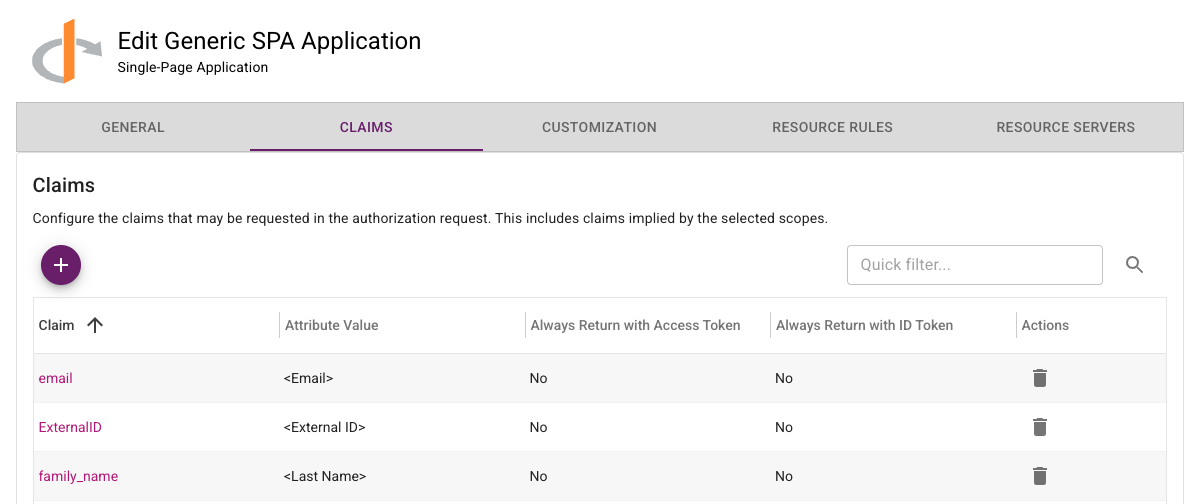
In-place upgrade of the ESG is only supported for versions 5.33 or later. Versions of ESG older than 5.33 are no longer supported. To upgrade versions of ESGs older than 5.33 to the new version, use the following procedure:

  1. Download the latest Gateway OVA or Hyper-V file from IDaaS and install on a new VM instance.
  2. Add a new Gateway instance to the existing Gateway in IDaaS.
  3. Register the new Gateway instance with IDaaS.
  4. Disable the old Gateway instance.
  5. Repeat these steps to replace all the Gateway instances that use older versions of the ESG.

Once the upgrade is complete, the Gateway instances corresponding to the old ESGs can be deleted from IDaaS and the VMs for those ESG instances can also be deleted.

Entrust Identity and Entrust Windows Desktop Soft Token Deprecation

In the IDaaS 5.43 release, changes are planned that will break the following operations:

  • Password reset in versions of Entrust Identity prior to 25.1.1. Customers using the SDKs are not impacted.
  • Soft Token online activation in versions of Entrust Windows Desktop Soft Token prior to 3.1

Browser Deprecation

Microsoft no longer supports Internet Explorer 11. Identity as a Service ceased support for Internet Explorer 11 after May 2023.

Release 5.41

· 6 min read

New in this release

Verifiable Credentials

This release of IDaaS includes preliminary support for the issuance and presentation (or verification) of verifiable credentials. IDaaS supports verifiable credentials using the W3C VC format. IDaaS also supports OpenID for Verifiable Credential Issuance (OID4VCI) and OpenID for Verifiable Presentations (OID4VP) for integrating VC issuance and presentation with wallets. IDaaS supports the following standards:

Face Biometric Registration Improvements

When registering a Face Biometric authenticator, the IDaaS user's first and last name are provided to the Onfido registration workflow to compare the user's name in IDaaS to the user's name as it appears on their government ID. Previously, the user's default firstName and lastName attributes were used. The IDaaS user attributes used to provide first name and last name values can now be configured in the Face Biometric policy. This feature allows IDaaS to store both a user's legal name and their preferred name. When configured, the user's preferred name is used in most cases and the user's legal name is used for Face Biometric registration.

Certificate Expiry Notification Email Improvements

The certificate expiry notification email now includes the hostname of the IDaaS account. This provides useful information for administrators who are managing multiple IDaaS accounts.

Portal UI Error Reporting

Errors that cause the IDaaS Portal and Authentication UI to crash are now logged to the IDaaS service to facilitate debugging.

Fixed or changed in this release

  1. Audits for failed device verification are missing. (39166)
  2. Allow Enterprise Service Gateway and Microsoft CA proxy to be downloaded from accounts with a vanity URL. (37855)
  3. Token activation with Identity Verification option should include the Face Biometric serial number in its audit. (38779)
  4. The Identity as a Service Integration ForgeRock application has been removed from the list of applications that can be created. The integration was no longer supported by ForgeRock. The ForgeRock OIDC application template is still available. (38633)
  5. For Service Provider accounts, the default Customer Support Agent role now includes the Edit Tenants permission. This allows support agents to unlock tenants. (38472)
  6. Editing the Message of the Day in the Administration portal generates a stack trace in the browser console. (38903)
  7. Editing the User Verification Message in the Administration portal generates a stack trace in the browser console. (38757)
  8. On the Group List page of the Administration portal, selecting the checkbox for all groups no longer selects the "All Users" group. The "All Users" group is a virtual group for which actions like delete groups do not apply. (38804)
  9. When activating an Entrust Soft Token, do not display the Identity Verified option if it is not available. (38777)
  10. Authenticate API user query can fail if the user password last changed time is not set. (39181)
  11. Updating a user from any page other than the first page of the list results in a page not found error. (38454)
  12. For OTP voice delivery, English was used for the Thai and Turkish locales. (38874)
  13. Push notifications not sent for an Entrust Soft Token activated offline. (39218)
  14. Activation of a Face Biometric on the Entrust Identity application is not working if registration started from the mobile web browser. An activation QR code was displayed instead of an activation link. (37756)
  15. The error message displayed when a compromised password is used has been changed to "This password has been found in a compromised password list from a 3rd-party website. To ensure security, its use is restricted." (39147)
  16. A password cannot be assigned to a user if they do not have an email address. Now the option to send the new password by email is disabled. (38483)
  17. Broken hyperlinks in the documentation have been fixed. (38482)
  18. Fix errors in the Administration Guide "Integrate Microsoft Entra ID with Identity as a Service" section. (38913)
  19. For accounts that do not have WeChat/WhatsApp OTP delivery enabled, some WeChat/WhatsApp options are visible including the admin portal menu search. (38810)
  20. Improve audits when WhatsApp credentials are updated. (38837)
  21. User certificate authentication was only shown for users that had smart credentials supporting push authentication. This did not include users who have YubiKey smart credentials. (38750)

Changes to Identity as a Service APIs

Authentication API

There are no changes in the Authentication API in this release.

Administration API

There are no changes in the Administration API in this release.

Supported TLS Ciphers

IDaaS supports the following TLS Ciphers:

TLSv1.3:

  • TLS_AKE_WITH_AES_128_GCM_SHA256 (ecdh_x25519)
  • TLS_AKE_WITH_AES_256_GCM_SHA384 (ecdh_x25519)
  • TLS_AKE_WITH_CHACHA20_POLY1305_SHA256 (ecdh_x25519)

TSv1.2:

  • TLS_ECDHE_RSA_WITH_AES_128_GCM_SHA256 (ecdh_x25519)
  • TLS_ECDHE_RSA_WITH_AES_256_GCM_SHA384 (ecdh_x25519)
  • TLS_ECDHE_RSA_WITH_CHACHA20_POLY1305_SHA256 (ecdh_x25519)
  • TLS_ECDHE_RSA_WITH_AES_256_CBC_SHA384 (ecdh_x25519)
  • TLS_ECDHE_RSA_WITH_AES_128_CBC_SHA256 (ecdh_x25519)

Clients should stop using the following TLS Ciphers. Support for them will be removed in a future release.

TLSv1.2:

  • TLS_ECDHE_RSA_WITH_AES_128_CBC_SHA256 (ecdh_x25519)
  • TLS_ECDHE_RSA_WITH_AES_256_CBC_SHA384 (ecdh_x25519)

Enterprise Service Gateway Deprecation

Entrust will only support the last four releases of the Enterprise Service Gateway (the current version 5.41 and the three previous releases 5.38, 5.39, and 5.40). Entrust recommends that customers always upgrade their Enterprise Service Gateway to the latest release because each release contains security updates to the Enterprise Service Gateway Operating System.

In-place upgrade of the ESG is only supported for versions 5.33 or later. Versions of ESG older than 5.33 are no longer supported. To upgrade versions of ESGs older than 5.33 to the new version, use the following procedure:

  1. Download the latest Gateway OVA or Hyper-V file from IDaaS and install on a new VM instance.
  2. Add a new Gateway instance to the existing Gateway in IDaaS.
  3. Register the new Gateway instance with IDaaS.
  4. Disable the old Gateway instance.
  5. Repeat these steps to replace all the Gateway instances that use older versions of the ESG.

Once the upgrade is complete, the Gateway instances corresponding to the old ESGs can be deleted from IDaaS and the VMs for those ESG instances can also be deleted.

Browser Deprecation

Microsoft no longer supports Internet Explorer 11. Identity as a Service ceased support for Internet Explorer 11 after May 2023.

Release 5.40

· 12 min read

New in this release

Device Verified Entrust Soft Token Activation

Entrust Soft Token now supports device verification during activation. When enabled, the user's device must have a device certificate issued from a trusted Certificate Authority. This feature ensures token activation occurs only on authorized devices.

Application Verified Entrust Soft Token Activation

Entrust Soft Token now supports application verification during activation. When enabled, an attestation from Apple or Google is provided that validates the mobile application performing the activation. This feature ensures token activation occurs only from trusted mobile applications.

Disallow Previously Compromised Passwords

When setting a new password, IDaaS now blocks previously compromised passwords reported by HaveIBeenPwned. This addresses a NIST recommendation for password security documented in SP 800-63B.

IDaaS provides an option in the password settings to "Allow Compromised Passwords" but Entrust recommends that customers do not use this option unless necessary. As an example, customers who have very short passwords or passwords consisting of just digits may find all possible password values are compromised.

Previously compromised passwords are disallowed by default for existing customers. This means existing end users may encounter this new behavior after IDaaS 5.40 is deployed.

OTP Delivery using WhatsApp and WeChat

IDaaS now supports OTP delivery using WhatsApp and WeChat. Customers that want to use these capabilities must provide their own WhatsApp or WeChat business account.

Token Challenge/Response Authenticator

A new Token Challenge/Response authenticator has been added to IDaaS. In Token Challenge/Response authentication, IDaaS generates a challenge that is provided to the end user. The user enters the challenge into the token, and then the token uses the challenge to generate the OTP.

Only users who have been assigned hardware tokens that support Token Challenge/Response (like Entrust CR300 tokens) will have access to the Token Challenge/Response authenticator.

Token Challenge/Response authentication is supported by all IDaaS authentication applications, including the User portal, SAML applications, OIDC and OAuth applications, RADIUS applications, and Auth API applications. For RADIUS applications, the customer must update to the 5.40 Enterprise Service Gateway. For Auth API applications, the client application must be updated to support TOKENCR.

Override Certificate Lifetime for PKIaaS

When configuring smart credential digital IDs when using a PKIaaS CA, the customer can now configure the certificate lifetime in IDaaS if they want to override the lifetime configured by their CA.

Improvements for Desktop Credential Provider Offline Token

IDaaS provides the ability for the Entrust Desktop Credential Provider to download future token responses that can be used by DCP to allow offline login. This feature has been enhanced to support download of offline token responses when token authentication was not required by the resource rule. For example, if the resource rule requires password-only for low risk and password+token for high risk, offline token responses can now be downloaded in the low risk scenario.

This feature needs the upcoming release of Entrust Desktop Credential Provider before it can be used.

Mobile OIDC Developer Guide

A new document Integrating IDaaS OIDC with a mobile app using AppAuth has been added to the IDaaS Developer Portal. This document describes how OIDC authentication using IDaaS can be added to a customer's mobile application.

Increase size of IP List

An IP List can now include up to 2000 IP addresses. Previously the limit was 500.

New Passkey/FIDO2 Algorithms

IDaaS PassKey/FIDO2 now supports the Ed25519 & RS256 algorithms. These algorithms are used by Windows Hello and some newer hardware.

Certificate Expiry Notification Improvements

The Certificate Expiry Notification email now includes more instructions including a link to the documentation describing how to update the certificates.

RADIUS Unknown User Cache Audit Changes

The audits generated by the RADIUS Unknown User Cache (introduced in 5.39) have been changed. Previously, an audit was generated for each unknown user that tried to authenticate in a given period of time. Now a single audit including a count of the number of unknown users who tried to authenticate in that period of time is generated instead.

Entrust Identity Security Whitepaper Updates

The Entrust Identity Security Whitepaper has been updated. This document can be accessed from the IDaaS Admin Portal Documentation Menu at Whitepapers > Identity as a Service Platform Security.

Fixed or changed in this release

  1. Bulk import of unassigned grids failed. (35516, 37401)
  2. Gateway status in Dashboard shows warning instead of error icon when the SSL certificate has expired. (37669)
  3. User portal session timeout dialog shows negative timeout after session has expired. (34100, 38392)
  4. RADIUS Push authentication fallback to grid not working. (37233)
  5. Audit for change to FIDO Settings fidoRelyingPartyAllowlist showing wrong value when subdomainsAllowed is not checked. (37101)
  6. User Portal Authenticators List Filter for Types should not include authenticators not allowed in User Portal policy. (37561)
  7. User created by Azure synchronization is not getting provisioned by SCIM. (37769)
  8. Clicking on the QR Code in the Google Authenticator activation email will now launch the Google Authenticator app on mobile. (37386)
  9. Email value format is not validated in the UI if the email attribute is optional. (29804)
  10. For SAML IDP authentication, the redirect message is not translated. (39359)
  11. The Passkey/FIDO2 category in the Group Policy categories list is not sorted correctly. (34800)
  12. Certificate validation added to the Directory SSL Certificate import rejects certificates with RSA-1024 and EC2 keys. These keys are now allowed. (38755)
  13. During SAML authentication, if a user gets locked they are redirected to the IDaaS login page instead of back to the SAML service provider. (38285)
  14. User certificate authentication failing on Mac Safari. (38761)
  15. Test for external risk engine now returns error http_connector_execution_failed if it is unable to connect to the external risk service. Previously a general error was returned. (37965, 38495)
  16. Password reset performed from Entrust Identity mobile app fails for passwords synchronized by AD Connector. (38081)

Changes to Identity as a Service APIs

Authentication API

The following changes have been made to support TOKENCR authentication.

  • The value TOKENCR has been added to the list of available authenticators. This value can be passed as an argument to userChallengeUsingPOST and userAuthenticateUsingPOST indicating which authentication type to use. It can be returned in the attributes authenticationTypes and availableSecondFactor in UserAuthenticateQueryResponse returned from userAuthenticatorQueryUsingPOST indicating which authentication types are available. The resource rules of authentication API applications that don't support TOKENCR authentication should not be configured to include TOKENCR.
  • The attribute challenge has been added to the model TokenChallenge. For TOKENCR authentication, this attribute includes the challenge to be entered into the token.

The following changes have been made to support OTP delivery using WeChat or WhatsApp.

  • The values WECHAT and WHATSAPP have been added to the attribute otpdeliveryType in the model AuthenticatedResponse.
  • The values WECHAT and WHATSAPP have been added to the attribute type in the model OTPContactValue.
  • The values WECHAT and WHATSAPP have been added to the attributes otpDefaultDelivery and availableOTPDelivery in the model OTPDetails.
  • The values WECHAT and WHATSAPP have been added to the attribute otpDefaultDelivery in the model UserAuthenticateQueryResponse.

These attributes specify when WeChat/WhatsApp are available to be used to deliver OTPs and to request that they be used to delivery OTPs.

The following changes have been made to support download of offline token responses.

  • New method POST /api/web/v1/self/tokens/offline (getOfflineTokenResponsesUsingPOST) - Given the auth token returned from a previous authentication request for an application that allows offline token download, download offline token responses for the specified token.
  • New model GetOfflineTokenAuthenticateParms - contains the parameters passed to the method getOfflineTokenResponsesUsingPOST.

Administration API

The following changes have been made to support managing FIDO Settings.

  • The method GET /api/web/v1/settings/fido (getFIDOSettingsUsingGET) has been added. This method gets the requested FIDO Settings.
  • The method PUT /api/web/v1/settings/fido (updateFIDOSettingsUsingPUT) has been added. This method updates the specified FIDO Settings.
  • New model FIDOAuthenticatorSettings. This model contains the values returned from the method getFIDOSettingsUsingGET.
  • New model FIDOAuthenticatorSettingsParms. This model contains the parameters passed to the method updateFIDOSettingsUsingPUT.
  • New model FIDOAllowedRpid. This model defines one of the attributes included in FIDOAuthenticatorSettings and FIDOAuthenticatorSettingsParms.

The following changes have been made related to Device Verification.

  • The attribute requireDeviceVerificationOnActivation has been added to EntrustSTAuthenticatorSettings. This setting indicates whether device verification must be performed when an Entrust Soft Token is activated.
  • The attribute deviceVerified has been added to Token. This setting indicates if the token was device verified during activation.

The following changes have been made related to Application Verification.

  • The attribute appVerificationRequired has been added to EntrustSTAuthenticatorSettings. This setting indicates whether application verification must be performed when an Entrust Soft Token is activated.
  • The attribute appVerificationIOSBundleId and appVerificationIOSTeamId have been added to EntrustSTAuthenticatorSettings. These settings identify the trusted Apple mobile application.
  • The attribute appVerificationAndroidPackageName has been added to EntrustSTAuthenticatorSettings. This setting identifies the trusted Android mobile application.
  • The attribute appVerified has been added to Token. This setting indicates if the token was application verified during activation.

The following changes have been made related to the Smart credential certificate lifetime feature.

  • The attribute lifetime has been added to DigitalIdConfigCertTemplate. This setting indicates the lifetime (in months) to use when requesting certificates from the CA if the default lifetime is not used.
  • The attribute useCaDefaultCertLifetime has been added to DigitalIdConfigCertTemplate. This setting indicates if the CA default certificate lifetime should be used.

The following changes have been made related to Face Biometric authenticators.

  • The method POST /api/web/v1/users/{userid}/face (createFaceUsingPOST) has been deprecated.
  • The method POST /api/web/v2/users/{userid}/face (createFaceAuthenticatorUsingPOST) has been added. This method is used to create a new Face Biometric authenticator and replaces createFaceUsingPOST.
  • New model FaceCreateResponse. This model contains the response from createFaceAuthenticatorUsingPOST.
  • The attribute returnQRCode has been added to FaceCreateParms. This setting indicates if a QR code used to launch Face Biometric authenticator registration should be returned.

The following changes have been made related to TOKENCR authentications.

  • The value TOKENCR has been added to the attributes idpLoginSecondStep and userLoginSecondStep in the models AuthenticationFlow and AuthenticationFlowParms. These attributes specify when the authenticator TOKENCR is allowed in an authentication flow.
  • The value TOKENCR has been added to the attributes highRiskSecondStep, mediumRiskSecondStep, and lowRiskSecondStep in the models ResourceRule and ResourceRuleParms.
  • The value TOKENCR has been added to the attribute authenticators in the model PasswordResetSettings. This model lists authenticators that can be used for password reset.
  • The value TOKENCR has been added to the attribute lockedAuthenticatorTypes in the model User. This attribute lists locked out authenticators for a User.
  • The value TOKENCR has been added to the attribute type in the model UserAuthenticatorLockoutStatus. This model provides details about authenticator lockout status for a User.

The following changes have been made related to supporting WeChat/WhatsApp for OTP delivery.

  • The values WECHAT and WHATSAPP have been added to the attribute otpDefaultDelivery in the model OTPAuthenticatorSettings. This attribute specifies the default OTP delivery type.
  • The attributes otpWechatDefaultDeliveryAttribute and otpWhatsappDefaultDeliveryAttribute have been added to the model OTPAuthenticatorSettings. These attributes specify the user attribute to use by default for OTP delivery using WeChat or WhatsApp.
  • The values WECHAT and WHATSAPP have been added to the attribute otpDeliveryType in the model OTPCreateParms. This attribute specifies how an OTP is delivered when an OTP is created if delivery is enabled.
  • The values WECHAT and WHATSAPP have been added to the attribute name in the model OTPDeliveryMethod. This model is used to define the allowed delivery methods in OTPAuthenticatorSettings.
  • The values OTP_WECHAT and OTP_WHATSAPP have been added to the attribute type in the model OTPVerificationChallengeValue. This model is passed as an argument to the method contactVerificationChallengeUsingPOST to validate the value for a user contact attribute.
  • The values OTP_WECHAT and OTP_WHATSAPP have been added to the attribute type in the models UserAttribute, UserAttributeParms, and UserExtraAttribute. These values specify the type of user attribute used to store a WeChat or WhatsApp contact value.

Supported TLS Ciphers

IDaaS supports the following TLS Ciphers.

TLSv1.3:

  • TLS_AKE_WITH_AES_128_GCM_SHA256 (ecdh_x25519)
  • TLS_AKE_WITH_AES_256_GCM_SHA384 (ecdh_x25519)
  • TLS_AKE_WITH_CHACHA20_POLY1305_SHA256 (ecdh_x25519)

TSv1.2:

  • TLS_ECDHE_RSA_WITH_AES_128_GCM_SHA256 (ecdh_x25519)
  • TLS_ECDHE_RSA_WITH_AES_256_GCM_SHA384 (ecdh_x25519)
  • TLS_ECDHE_RSA_WITH_CHACHA20_POLY1305_SHA256 (ecdh_x25519)
  • TLS_ECDHE_RSA_WITH_AES_256_CBC_SHA384 (ecdh_x25519)
  • TLS_ECDHE_RSA_WITH_AES_128_CBC_SHA256 (ecdh_x25519)

Clients should stop using the following TLS Ciphers. Support for them will be removed in a future release.

TLSv1.2:

  • TLS_ECDHE_RSA_WITH_AES_128_CBC_SHA256 (ecdh_x25519)
  • TLS_ECDHE_RSA_WITH_AES_256_CBC_SHA384 (ecdh_x25519)

Enterprise Service Gateway Deprecation

Entrust will only support the last four releases of the Enterprise Service Gateway (the current version 5.40 and the three previous releases 5.37, 5.38, and 5.39). Entrust recommends that customers always upgrade their Enterprise Service Gateway to the latest release because each release contains security updates to the Enterprise Service Gateway Operating System.

In-place upgrade of the ESG is only supported for versions 5.33 or later. Versions of ESG older than 5.33 are no longer supported. To upgrade versions of ESGs older than 5.33 to the new version, use the following procedure:

  1. Download the latest Gateway OVA or Hyper-V file from IDaaS and install on a new VM instance.
  2. Add a new Gateway instance to the existing Gateway in IDaaS.
  3. Register the new Gateway instance with IDaaS.
  4. Disable the old Gateway instance.
  5. Repeat these steps to replace all the Gateway instances that use older versions of the ESG.

Once the upgrade is complete, the Gateway instances corresponding to the old ESGs can be deleted from IDaaS and the VMs for those ESG instances can also be deleted.

Browser Deprecation

Microsoft no longer supports Internet Explorer 11. Identity as a Service ceased support for Internet Explorer 11 after May 2023.

Release 5.39

· 14 min read

New in this release

Locking and Removal of Production Accounts with Expired Entitlements

Starting in this release, production accounts will be locked when their entitlements expire and removed after 6 months if the entitlement has not been renewed. IDaaS will send notification emails to account owners when entitlements approach the expiry date and then when they expire.

Customers can view the status of their account entitlements by clicking on the Entitlements icon on the Administration Portal Dashboard.

The default Customer Support Agent service provider administrator role has been modified to include permission to modify entitlements. This allows a support agent to address customer entitlement issues if their entitlement has expired.

SMS/Voice Entitlements Are Required

Starting in this release, entitlements are required to use SMS/Voice delivery for OTPs. Previously, accounts without an entitlement were allowed to use SMS/Voice delivery. Email delivery of OTPs does not require an entitlement.

Customers can view the status of their account entitlements by clicking on the Entitlements icon on the Administration Portal Dashboard.

SAML Identity Providers

IDaaS can be configured to support SAML Identity Providers in addition to the currently supported OIDC Identity Providers. The following are included as part of this new feature:

  • An Authentication Flow that enables identity providers to select either OIDC or SAML identity providers, or both.
  • Global and Group-Based User Verification Policies that configure identity providers can select either OIDC or SAML identity providers, or both.

Flexible External Risk Engines

A new external risk engine type has been added to IDaaS. The new risk engine type allows the customer to integrate 3rd-party external risk engines into IDaaS with a no-code solution. IDaaS supports third-party risk engines that accept HTTPS requests and returns the risk results as a JSON formatted response.

Pass-through Authenticator

A new pass-through authenticator type has been added to IDaaS allowing the customer to integrate third-party authenticators into IDaaS with a no-code solution. The pass-through authenticator forwards the authentication requests from IDaaS to a customer-operated authentication service. This feature allows a customer to integrate an application using the IDaaS authentication API with existing authentication services.

Group Attribute Support

An attribute can be defined for IDaaS groups. This attribute can be mapped into SAML assertion attributes and OIDC claims depending on the group membership of the authenticating user.

These new capabilities include support for the Danish OIOSAML Web SSO Profile 3.0 for interoperation with Kombit Context Handler 2. Information defining privilege and constraint information can be defined in the IDaaS group attribute. This information can be encoded and returned in a SAML assertion as defined in OIOSAML and returned to Kombit Context Handler 2.

When defining a SAML attribute, the NameFormat can now be specified. Previously it was left undefined. This is required for OIOSAML but is applicable to any SAML attribute.

Maximum Password Length Policy

A new maximum password length policy has been added to Password settings. When set, this policy enforces the maximum length of the user's password when a new password is set. By default, IDaaS does not enforce a maximum password length.

A customer may want to enforce a maximum password length if they have clients that cannot accept longer passwords.

Outbound SCIM Provisioning Enhancements

Previously, IDaaS outbound SCIM provisioning only supported OAuth to authenticate to the service to which users were provisioned. Now, IDaaS also supports authentication using API keys.

Improved User/Audit Searching for Large Customers

For large customers, the list/search operations in the Administration portal have been redesigned to avoid timeouts that may be encountered. These issues are more likely when complicated search criteria are specified. The user experience of the administrator using the Administrator portal is unchanged.

Webhooks for User Creation

IDaaS now supports webhooks where IDaaS will send a signal to an external service when an event happens. In this release, webhooks are supported for user create events.

IDaaS JWT OIDC Grant Type

A new IDaaS JWT grant type has been added to OIDC and OAuth applications. This grant type allows a customer application to use the IDaaS authentication API to authenticate a user. When using this grant type, the client application does the following:

  • Calls the OIDC/OAuth authorize endpoint to begin authentication specifying the new grant type. This will return an authRequestKey value.
  • Calls the IDaaS authentication APIs to authenticate the user. The authRequestKey is passed as an argument. The authentication API will return an IDaaS JWT when the user is authenticated.
  • Calls the OIDC/OAuth token endpoint to get an OAuth access token. The IDaaS JWT and authRequestKey are passed as arguments. This call returns an OAuth access token that can be used to interact with the customer's backend service.

This new grant type provides the following capabilities not available with standard OIDC:

  • The customer can implement their own authentication UI allowing them to customize the UI to meet their requirements.
  • The customer can access IDaaS risk authentication capabilities, such as transaction verification that require customer transaction values to be provided. When transaction values are provided, the returned OAuth access token can be configured to include these transaction values as a claim.

RADIUS Agent Caching

Recently some IDaaS customers have experienced attacks on their VPN servers where bad actors perform large numbers of authentication attempts using the same userid and different passwords in an attempt to find a valid userid and password. The error returned from IDaaS does not indicate if the error is because the user does not exist or if the password was invalid. This means that these attacks generate large numbers of IDaaS requests resulting in unknown user errors.

For customers whose VPN server or network infrastructure does not provide capabilities to filter out these kinds of requests before they reach the IDaaS RADIUS agent and then IDaaS, the IDaaS RADIUS agent now provides the following caches to block this traffic before it reaches IDaaS:

  • An unknown user cache that blocks RADIUS authentication requests with a userid that previously generated a user not found error.
  • A client IP rate limiter that restricts the number of RADIUS authentication requests that will be accepted from a client IP address.

For customers that allow this traffic to reach IDaaS, Entrust may be forced to rate limit the authentication traffic for that account. This rate limiting would block both valid and invalid authentication requests.

Customers will need to upgrade to the 5.39 version of the Enterprise Service Gateway to have these features available.

Token Delete Bulk Operation

A new bulk operation to delete tokens has been added.

Administrator Portal Menu Search Improvements

The menu search capability now supports all levels of the Administrator portal menu instead of just the top level menus. The menu search field has been moved to the menu.

IDaaS Logo Change

The IDaaS logo displayed by default on the login page has changed.

Service Provider Tenant Management Improvements

When a service provider configures a tenant for tenant management, there is now an option to select the OIDC key/certificate to be used.

Improved OIDC Error Information

OIDC requests that fail due to configuration issues or due to unsupported requests now return additional information to the client in the error description indicating the cause of the error.

New Integrations

The following integrations have been added.

  • A new SAML application template for Bonusly.
  • A new SAML application template for ProdPad.

Fixed or changed in this release

  1. The Save button should be disabled in the password change UI if the New Password matches the Current Password. Submitting the request results in a server error as expected. (10826, 36622)
  2. User search criteria in the Administrator portal should not display the Organization filter for administrators who do not have permission to view Organizations. (37314)
  3. Changes to the Geolocation allow list in resource rules were not saved. (37856)
  4. User Certificate was missing from the User Authenticator Notifications settings. (37159)
  5. Allow the default OIDC certificate to be deleted if it is not used, and it is not the only OIDC key. (37728)
  6. Edit the Tenant Management configuration for a tenant from a service provider fails. (37982)
  7. The User Attributes VIEW permission has been added to the default SCIM Provisioning role. (37596)
  8. Remove sample values of API keys from IDaaS OpenAPI files. These sample values trigger customer vulnerability scanners. (38107)
  9. If Face Biometric registration is cancelled during User Registration it is marked complete. (37747)
  10. OIDC Server Application should not have the Show Login Redirect URL in My Profile option. (37646)
  11. Administrator in Helpdesk role was not allowed to remove groups from a user. (37459)
  12. Japanese version of Reset Password email is missing text. (10566)
  13. Localized versions of User State Change email contains English text. (33749)
  14. User created in IDaaS after authentication from an Identity Provider is ignored by SCIM outbound provisioning. (37635, 38082)
  15. If creation of a user in IDaaS after authentication from an Identity Provider fails, authenticators created for that user are left behind. (37636)
  16. Delete users bulk operation fails with "Bulk operation already started" error. (37353)
  17. When entering the name of an Organization, the UI does not validate if the name is a duplicate. This results in an error being returned from the server. (36439)
  18. Encoding smart credentials on YubiKey tokens with firmware version 5.7.1 or greater fails. (37412)
  19. In the Administrator Portal, the list of groups to add to a user were not sorted. (37408)
  20. When the Directory configuration has a list of SSL certificates, it now indicates which SSL certificate is being used. (37619)
  21. Unlocking a user fails if the user was locked out due to User Certificate authentication failure. (37153)
  22. Audits without an Error Description display a value of undefined. (37315)
  23. Smart credential encoding fails for PKIaaS CAs when the smart credential definition only specifies one digitalId Config. (38121)
  24. Magiclink fails when case of provided email address differs from user's email address. (38391)

Changes to Identity as a Service APIs

The CSharp SDK dropped support for .NET 6.0 in this release.

Authentication API

The following changes have been made to support the Pass-through Authenticator.

The following models have been added:

  • PassthroughAuthenticationResponse. This model defines information returned to the client application from a pass-through authenticator. It consists of a list of PassthroughAuthenticationResultItems. The list of items returned is defined in the Pass-through Authenticator configuration in IDaaS.
  • PassthroughAuthenticatorParms. This model defines information passed from the client application to the pass-through authenticator. The model consists of a list of PassthroughAuthenticatorPlaceholder. The Pass-through Authenticator configuration in IDaaS specifies how these values are mapped into the requests sent to the Pass-through Authenticator.

The following models have been updated:

  • The attribute passthroughAuthenticationResponse has been added to AuthenticatedResponse. This attribute contains the information returned to the client application from a pass-through authenticator.
  • The attribute passthroughAuthenticatorParms has been added to UserChallengeParameters and UserAuthenticateParameters. This attribute contains the information passed from the client application for a pass-through authenticator.

The following changes have been made to support the IDaaS JWT OIDC Grant Type.

The following models have been updated:

  • The attribute authRequestKey has been added to UserAuthenticateQueryParameters. This attribute is provided by the OIDC/OAuth authorize endpoint when using the IDaaS JWT grant type and is required to use the IDaaS authentication APIs for that grant type.
  • The attribute maxAge has been added to UserAuthenticateQueryParameters. If an existing authToken is provided, the maxAge parameter can be used to indicate if re-authentication is required for an authentication. If the specified requestTime (or current system time if requestTime is not specified) is more than maxAge seconds after the time which the authToken was issued then re-authentication will be required.
  • The attribute requestTime has been added to UserAuthenticateQueryParameters. Used when comparing maxAge to the authToken issue time to determine if re-authentication is required. If not specified, the system current time is used.
  • The attribute authRequestKey has been added to UserAuthenticateParameters. This attribute is provided by the OIDC/OAuth authorize endpoint when using the IDaaS JWT grant type and is required to use the IDaaS authentication APIs for that grant type.

Administration API

The following models related to authentication flows have been updated:

  • An attribute identityProviderIds has been added to AuthenticationFlowParms. This value specifies the identity providers associated with the authentication flow. The attribute oidcIdentityProviderIds has been deprecated.
  • An attribute identityProviders has been added to AuthenticationFlow. This value specifies the identity providers associated with the authentication flow. The attribute oidcIdentityProviders has been deprecated.

The following APIs have been added to manage identity providers:

  • GET /api/web/v1/identityproviders (listIdentityProvidersUsingGET) - List identity providers.

The following models related to identity providers have been added:

  • IdentityProvider - The results returned from the list API.

The following APIs have been added to manage SAML identity providers:

  • GET /api/web/v1/identityproviders/saml (listSamlIdentityProvidersUsingGET) - List identity providers.
  • POST /api/web/v1/identityproviders/saml (createSamlIdentityProviderUsingPOST) - Create an identity provider.
  • DELETE /api/web/v1/identityproviders/saml/{id} (deleteSamlIdentityProviderUsingDELETE) - Delete an identity provider.
  • GET /api/web/v1/identityproviders/saml/{id} (getSamlIdentityProviderUsingGET) - Get an identity provider.
  • PUT /api/web/v1/identityproviders/saml/{id} (updateSamlIdentityProviderUsingPUT) - Modify an identity provider.

The following models related to SAML identity providers have been added:

  • SamlIdentityProviderParms - The parameters passed to the create and update APIs.
  • SamlIdentityProvider - The results returned from the create, get, list, and update APIs.

The following models related to webhooks have been added:

  • WebhookParms - The parameters passed when creating or updating a webhook.
  • Webhook - The parameters returned when listing or getting a webhook.
  • WebhookEvent - Specifies the event types supported by the webhook. Currently for IDaaS, this will always be user.create.

The following APIs have been added to manage Webhooks:

  • GET /api/web/v1/webhooks (getWebhooksUsingGET) - List all webhooks.
  • POST /api/web/v1/webhooks (createWebhookUsingPOST) - Create a webhook.
  • POST /api/web/v1/webhooks/test/{id} (testWebhookUsingPOST) - Test a webhook by trying to deliver a dummy payload.
  • GET /api/web/v1/webhooks/{id} (readWebhookUsingGET) - Get the specified webhook.
  • PUT /api/web/v1/webhooks/{id} (updateWebhookUsingPUT) - Update the specified webhook.
  • DELETE /api/web/v1/webhooks/{id} (deleteWebhookUsingDELETE) - Delete the specified webhook.

The following change has been made to other models:

  • The attribute 'maximumLength' has been added to UserPasswordSettings which defines the maximum length of the password.
  • The attribute attribute has been added to Group and GroupParms which provides access to the attribute value associated with a group.

Supported TLS Ciphers

IDaaS supports the following TLS Ciphers.

TLSv1.3:

  • TLS_AKE_WITH_AES_128_GCM_SHA256 (ecdh_x25519)
  • TLS_AKE_WITH_AES_256_GCM_SHA384 (ecdh_x25519)
  • TLS_AKE_WITH_CHACHA20_POLY1305_SHA256 (ecdh_x25519)

TSv1.2:

  • TLS_ECDHE_RSA_WITH_AES_128_GCM_SHA256 (ecdh_x25519)
  • TLS_ECDHE_RSA_WITH_AES_256_GCM_SHA384 (ecdh_x25519)
  • TLS_ECDHE_RSA_WITH_CHACHA20_POLY1305_SHA256 (ecdh_x25519)
  • TLS_ECDHE_RSA_WITH_AES_256_CBC_SHA384 (ecdh_x25519)
  • TLS_ECDHE_RSA_WITH_AES_128_CBC_SHA256 (ecdh_x25519)

Clients should stop using the following TLS Ciphers. Support for them will be removed in a future release.

TLSv1.2:

  • TLS_ECDHE_RSA_WITH_AES_128_CBC_SHA256 (ecdh_x25519)
  • TLS_ECDHE_RSA_WITH_AES_256_CBC_SHA384 (ecdh_x25519)

Enterprise Service Gateway Deprecation

Entrust will only support the last four releases of the Enterprise Service Gateway (the current version 5.39 and the three previous releases 5.36, 5.37, and 5.38). Entrust recommends that customers always upgrade their Enterprise Service Gateway to the latest release because each release contains security updates to the Enterprise Service Gateway Operating System.

In-place upgrade of the ESG is only supported for versions 5.33 or later. Versions of ESG older than 5.33 are no longer supported. To upgrade versions of ESGs older than 5.33 to the new version, use the following procedure:

  1. Download the latest Gateway OVA or Hyper-V file from IDaaS and install on a new VM instance.
  2. Add a new Gateway instance to the existing Gateway in IDaaS.
  3. Register the new Gateway instance with IDaaS.
  4. Disable the old Gateway instance.
  5. Repeat these steps to replace all the Gateway instances that use older versions of the ESG.

Once the upgrade is complete, the Gateway instances corresponding to the old ESGs can be deleted from IDaaS and the VMs for those ESG instances can also be deleted.

Browser Deprecation

Microsoft no longer supports Internet Explorer 11. Identity as a Service ceased support for Internet Explorer 11 after May 2023.

Release 5.38

· 6 min read

New in this release

Identity Verified Activation of Entrust Soft Tokens

IDaaS can be configured to require users to perform Face Biometric authentication when activating an Entrust Soft Token. Identity verification ensures that the expected user is activating the soft token.

Passkey/FIDO2 Enhancement to Block Synced Passkeys

Passkey/FIDO2 policy can now be configured to block synced passkeys from being registered. Customers may want to only allow their users to use passkeys, such as physical FIDO2 tokens, whose keys are not backed up to the cloud.

Locking and Removal of Production Accounts With Expired Entitlements

Starting in 5.39 release, production accounts will be locked when their entitlements expire and removed after 6 months. Accounts with entitlements that have already expired will be immediately locked and then removed after 6 months. IDaaS will send notification emails to account owners when entitlements approach the expiry date and then when they expire.

In 5.38, the expiry notifications will be sent to account owners, but the accounts will not be locked.

Identity Proofing Management Removed

The identity proofing management capabilities have been removed.

Directory and Gateway SSL Certificate Enhancements

The following enhancements related to SSL Certificate configuration have been made for Directories and Gateways that have SSL configured:

  • The Directories and Gateways tiles on the dashboard indicate if any SSL certificates are expired.
  • The status of the SSL certificate is shown in the Directory list.
  • A new View SSL Certificates action is available that shows a list of all SSL certificates configured for the directory.
  • A new View SSL Certificate action is available for each Gateway instance.
  • Certificate expiry notification emails sent by IDaaS now include notifications for Directory and Gateway SSL Certificates.

New Integrations

The following integrations have been added.

Fixed or changed in this release

  1. ESG log not rolling over causing disk to fill. (37181, 37320)
  2. ESG disks partition for /opt too small. Customers will need to reinstall ESG for this fix to apply. (37239)
  3. When OTP Voice delivery is used, the wrong type displays on the user's login page. (37330, 37406)
  4. The X-Xss-Protection header is no longer included in IDaaS API responses. (37455)
  5. The sample value for the machine fingerprint value in the API was incorrect. (37329)
  6. Validation of device certificate fails if it contains a ExtendedKeyUsage value marked critical. (36968)
  7. Address issues with SCIM user provisioning. Some errors were not properly handled resulting in the operation not completing and preventing future operations from starting. (37187, 37228, 37240, 37262, 37305)
  8. Enhance the User Authenticator Update email notification so that it can distinguish between an authenticator being locked and a user being locked. (37481)
  9. Customized name for Google Authenticator is HTML encoded. (37531)
  10. Face Biometric activation audit is missing mobile platform. (37261)
  11. Group policy category list in Admin portal not sorted. (37238)
  12. Face Biometric push transaction details are not translated. (37236)
  13. Microsoft Azure AD has been renamed to Microsoft Entra ID. (37529)
  14. Missing error message if Face Biometric authentication times out. (36456)
  15. Save user profile with alias generates blank error message. (37302)
  16. Password reset dialog has two scrollbars for some locales. (37223)
  17. Pressing User Certificate login button twice generates an error. (37100)
  18. Group names not sorted in Group Policies list. (36963)
  19. Add extra contact info entry in Admin portal is too short. (36679)
  20. When editing an application, the Next button should not be enabled if all authentication flows are disabled. (35322)

Changes to Identity as a Service APIs

Administration API

ID Proofing capabilities have been removed from IDaaS. The following methods have been removed from the Administration API.

  • idProofingInitUsingPOST (POST /api/web/v1/idproofing/init).
  • idProofingImageUsingPUT (PUT /api/web/v1/idproofing/{requestId}/image/{side}).
  • idProofingCompleteSelfieUsingPUT (PUT /api/web/v1/idproofing/{requestId}/completeselfie).
  • idProofingCompleteUsingPUT (PUT /api/web/v1/idproofing/{requestId}/complete).
  • idProofingRequestUsingGET (GET /api/web/v1/idproofing/{requestId}).
  • idProofingRequestsPagedUsingPOST (POST /api/web/v1/idproofing).

Token activation for Google Authenticator has been enhanced to support activation of a token with a specified token secret. This allows a customer to import existing Google Authenticator tokens into IDaaS. The following model has been changed.

  • The attribute secret has been added to ActivateParms. If specified when activating a token, this attribute specifies the seed of a token.

Methods used to configure the Onfido account used for Face Biometric authenticator have been added to the Administration API. The following changes have been made.

  • The method getFaceAccountSettingsUsingGET (GET /api/web/v1/settings/face/account) has been added. This method fetches the current Onfido account settings.
  • The method setFaceAccountSettingsUsingPUT (PUT /api/web/v1/settings/face/account) has been added. This method updates the Onfido account settings.
  • The model FaceAccountSettings has been added. This model contains the Onfido account settings.

Supported TLS Ciphers

IDaaS supports the following TLS Ciphers.

TLSv1.3:

  • TLS_AKE_WITH_AES_128_GCM_SHA256 (ecdh_x25519)
  • TLS_AKE_WITH_AES_256_GCM_SHA384 (ecdh_x25519)
  • TLS_AKE_WITH_CHACHA20_POLY1305_SHA256 (ecdh_x25519)

TSv1.2:

  • TLS_ECDHE_RSA_WITH_AES_128_GCM_SHA256 (ecdh_x25519)
  • TLS_ECDHE_RSA_WITH_AES_256_GCM_SHA384 (ecdh_x25519)
  • TLS_ECDHE_RSA_WITH_CHACHA20_POLY1305_SHA256 (ecdh_x25519)
  • TLS_ECDHE_RSA_WITH_AES_256_CBC_SHA384 (ecdh_x25519)
  • TLS_ECDHE_RSA_WITH_AES_128_CBC_SHA256 (ecdh_x25519)

Clients should stop using the following TLS Ciphers. Support for them will be removed in a future release.

TLSv1.2:

  • TLS_ECDHE_RSA_WITH_AES_128_CBC_SHA256 (ecdh_x25519)
  • TLS_ECDHE_RSA_WITH_AES_256_CBC_SHA384 (ecdh_x25519)

Enterprise Service Gateway Deprecation

Entrust will only support the last four releases of the Enterprise Service Gateway (the current version 5.38 and the three previous releases 5.35, 5.36, and 5.37). Entrust recommends that customers always upgrade their Enterprise Service Gateway to the latest release because each release contains security updates to the Enterprise Service Gateway Operating System.

In-place upgrade of the ESG is only supported for versions 5.33 or later. Versions of ESG older than 5.33 are no longer supported. To upgrade versions of ESGs older than 5.33 to the new version, use the following procedure:

  1. Download the latest Gateway OVA or Hyper-V file from IDaaS and install on a new VM instance.
  2. Add a new Gateway instance to the existing Gateway in IDaaS.
  3. Register the new Gateway instance with IDaaS.
  4. Disable the old Gateway instance.
  5. Repeat these steps to replace all the Gateway instances that use older versions of the ESG.

Once the upgrade is complete, the Gateway instances corresponding to the old ESGs can be deleted from IDaaS and the VMs for those ESG instances can also be deleted.

Browser Deprecation

Microsoft no longer supports Internet Explorer 11. Identity as a Service ceased support for Internet Explorer 11 after May 2023.