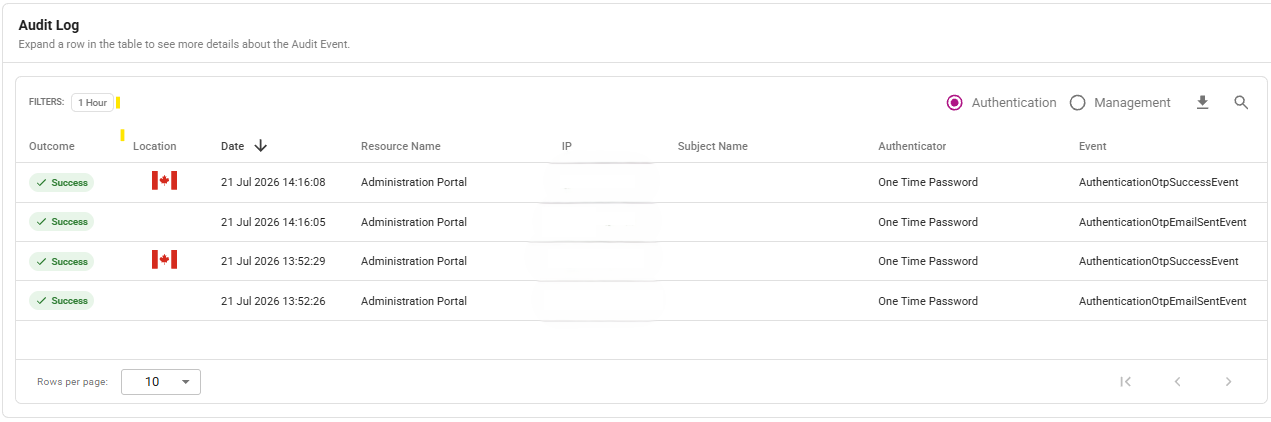
Dashboard
By default, if you are Super Administrator or Auditor, you see the Dashboard after you log in to your IDaaS account. The Dashboard allows you to monitor account activity. See Getting started for a description of IDaaS system administrator roles.
Features of the Dashboard page
To access the Dashboard page, select Dashboard from the IDaaS main menu.
Quick access buttons
At the top of the Dashboard page are the following quick access buttons:
| Dashboard entry | Icon | Behavior when selected |
|---|---|---|
| Users |  | Shows a list of users by status; click to open the Users List page. |
| User Entitlements |  | Shows the number of remaining entitlements; click to open the Contract Details summary of account entitlements. |
| SMS/Voice Credits |  | Shows the number of remaining SMS/Voice credits; click to open the Contract Details summary of SMS/Voice credits. |
| Applications |  | Shows the number of applications integrated with IDaaS; click to open the Applications List page. |
| Directories |  | Shows the number of configured directories; click to open the Directories List page. |
| Gateways |  | Shows the number of gateways and their status; click to open the Gateways List page. |
Get Started
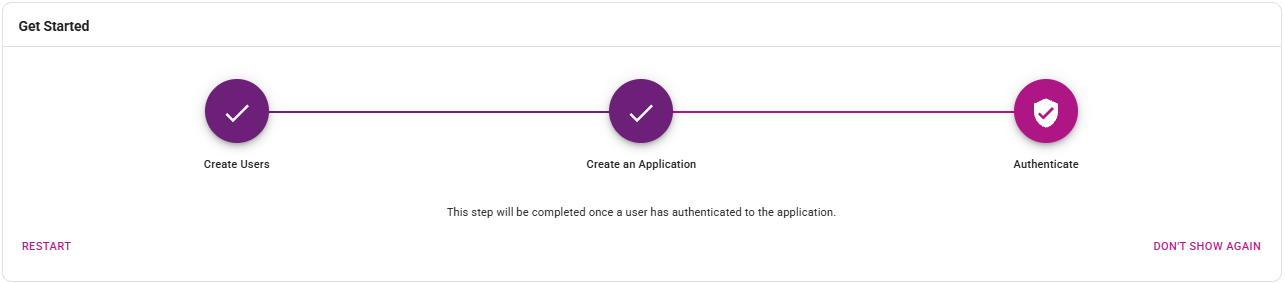
Get Started provides a Get Started Wizard to help you set up your IDaaS account.
-
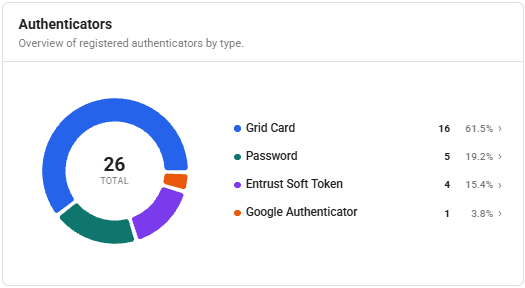
Authenticators shows authenticator usage in your account with improved chart behavior and clearer empty-state messaging.
- Click an authenticator to open its corresponding authenticator page (for example, Grid Cards) and view users who use that authenticator to sign in.
-
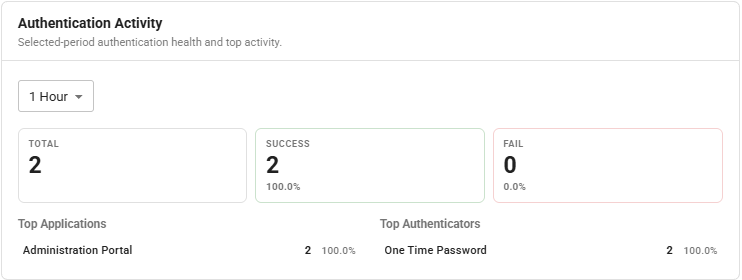
Authentication Activity shows authentication analytics for the selected time and date range:
-
Total authentications
-
Successful authentications
-
Failed authentications
-
Success and failure percentages
-
Ranked Top Applications and Top Authenticators
tipYou can select a date range to recalculate metrics, and click items in Top Applications or Top Authenticators to open prefiltered audit results.
-
-
Audit Log lists Authentication and Management audit events and supports investigation with a details drawer, filtering, and export. See View and export audit logs.